
Building Information Modeling Explained in Simple Terms
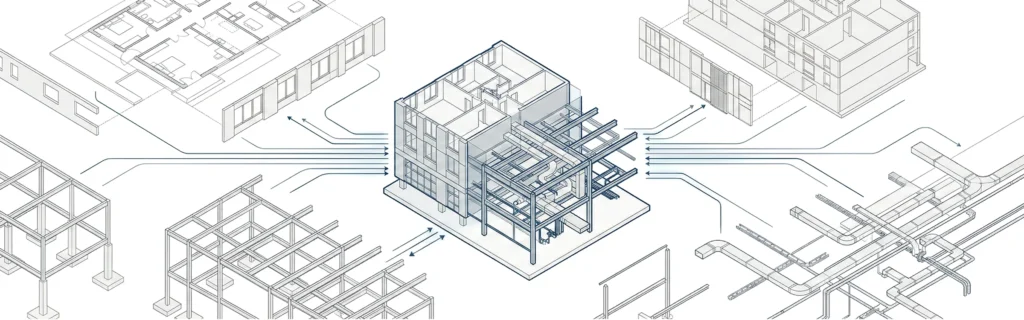
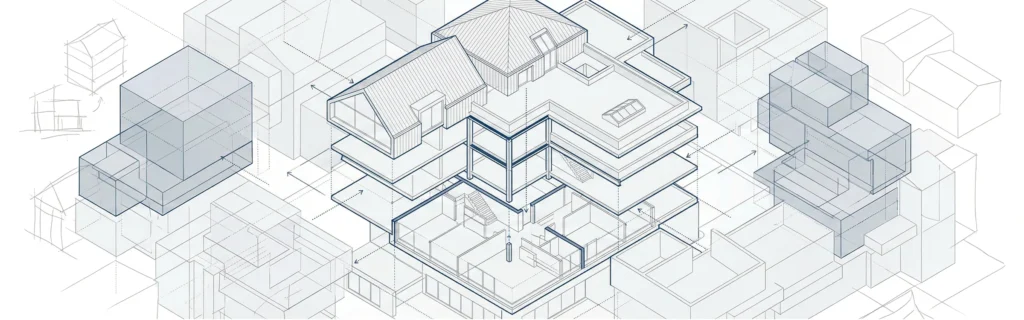
Building Information Modeling (BIM) is a method of creating and managing a digital representation of a building that combines geometry with structured data. Instead of working with disconnected drawings, architects develop a BIM model that contains both visual and informational elements describing a building throughout its project lifecycle. At its core, building information modeling BIM connects design intent with real construction data. Every wall, slab, door, or system is modeled as an intelligent object rather than a simple graphic element. This approach allows architects and construction teams to work with consistent information from early design to construction and facility management.
Why BIM Is More Than Just a 3D Model
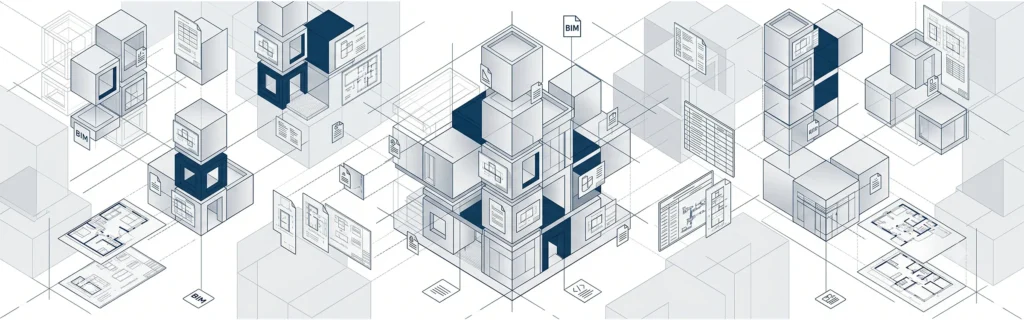
A BIM model is not only about visualization. It stores detailed data related to materials, dimensions, quantities, and relationships between building components. This information supports coordination, cost estimation, and decision-making across the design and construction process.Because BIM objects are interconnected, a single change can automatically update drawings, schedules, and quantities. This reduces errors, improves design quality, and supports better project efficiency.
BIM as a Shared Knowledge Resource
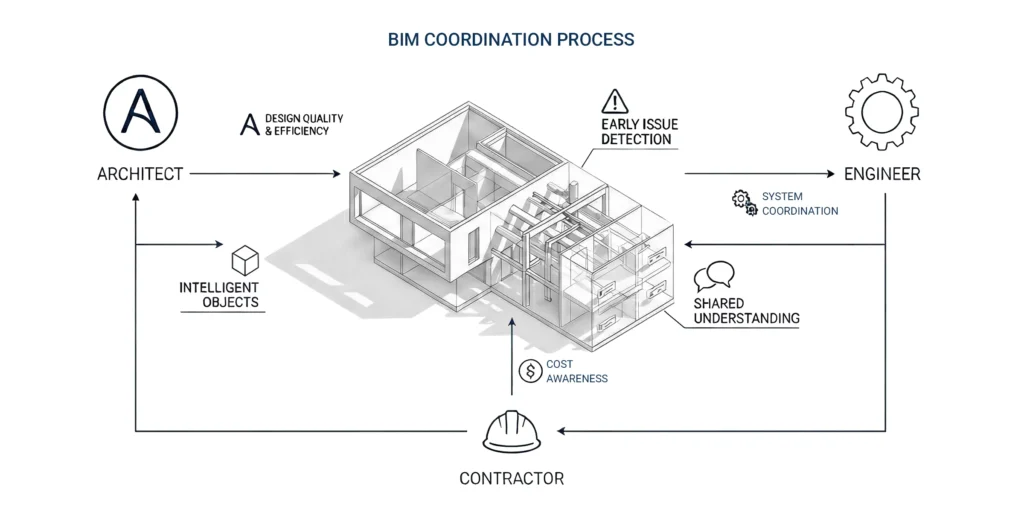
One of BIM’s core strengths is its role as a shared knowledge resource. Architects, engineers and contractors work with the same project data, which improves enhanced collaboration and reduces misunderstandings. In complex construction projects, this shared environment helps align expectations and responsibilities across all project stakeholders.
The Main Purpose of BIM in Architecture
The main purpose of BIM in architecture is to manage information consistently from early concepts through construction and long-term operation. BIM allows architects to conceptualize projects, test options, and refine solutions while maintaining data continuity.
By centralizing information, BIM supports better project management and helps architectural teams make informed decisions earlier in the design phase, when changes are less costly.
One Source of Truth for the Design and Construction Process
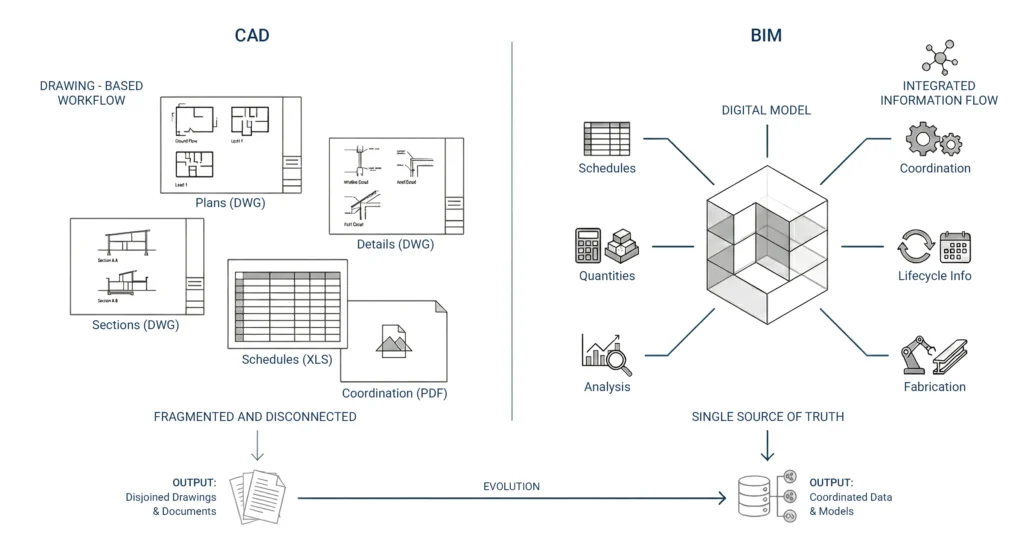
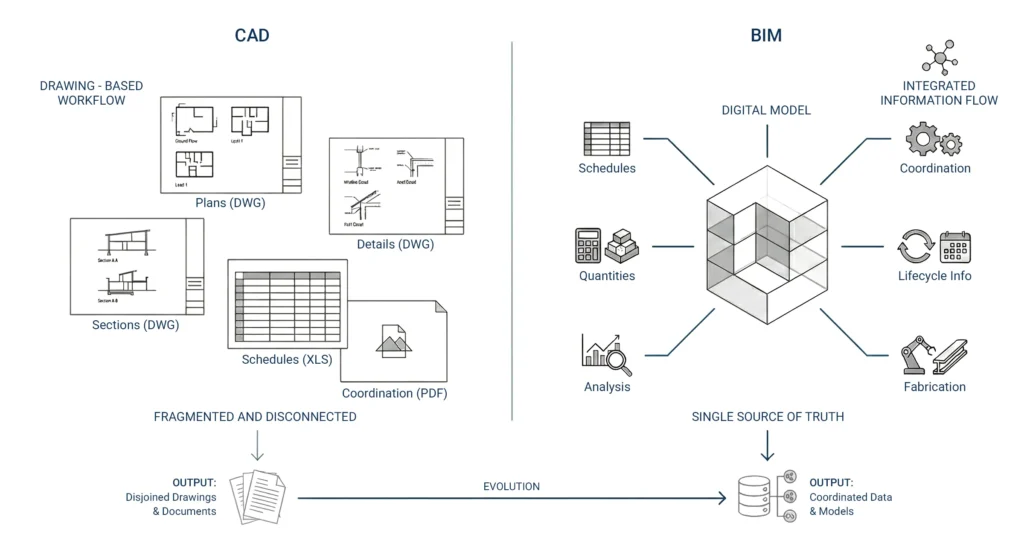
BIM creates a single source of truth for the design and construction process. Instead of managing multiple disconnected files, project teams rely on a coordinated bim model that reflects the current state of the architectural project.
This approach reduces conflicts, supports clearer communication with construction companies, and helps prevent project delays caused by inconsistent documentation.
Better Decisions From Conceptual to Detailed Design
From conceptual design to detailed design, BIM enables architects to evaluate options using real project constraints. Design decisions are supported by accurate building data, which improves confidence as projects move toward initial construction.
Key Benefits of BIM for Architects
Architects use BIM to improve coordination, reduce risk, and deliver higher-quality building projects.
Improving Design Quality and Project Efficiency
By working with intelligent objects instead of static drawings, architects improve design quality and overall project efficiency. BIM reduces manual coordination work and helps teams identify issues early, before construction begins.
Collaboration With Engineers and Contractors
BIM supports extensive collaboration between architects engineers and contractors. Shared models improve coordination of building systems, structural elements, and architectural design intent, especially on large or technically complex projects.
Supporting Cost Estimation and Cost Analysis
Because quantities come directly from the bim model, BIM improves cost estimation and cost analysis accuracy. Architects can better understand how design decisions affect material costs and overall project costs, supporting more predictable delivery.
BIM vs CAD – What’s the Difference?
Computer-Aided Design vs Information Modeling
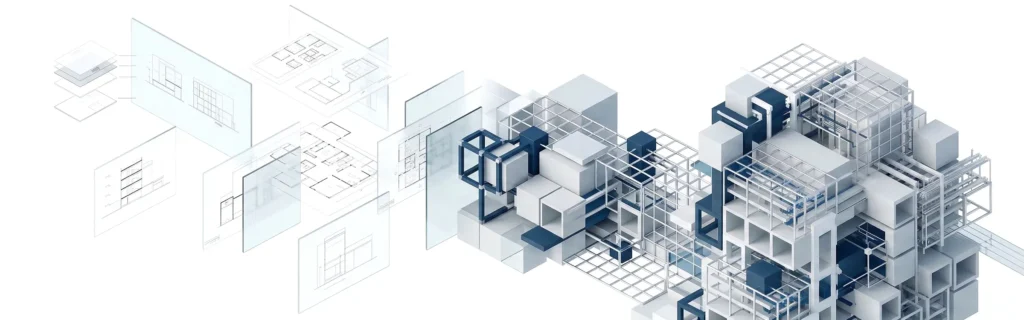
Traditional computer aided design focuses on drafting lines and shapes. BIM, by contrast, is based on information modeling, where each element represents a real building component with associated data.
This difference fundamentally changes how architects work and how BIM supports the building process.
Data-Rich Building Elements vs 2D Drawings
In BIM, elements carry information that supports coordination, scheduling, and construction sequencing. CAD drawings lack this embedded intelligence, making BIM far more effective for modern construction and complex building projects.
Popular BIM Software Used in Architecture
Main Categories of BIM Tools
BIM software generally falls into several categories:
- authoring tools for architectural BIM modeling
- coordination and review platforms
- common data environment solutions
- analysis and scheduling tools
These bim tools support different stages of the bim process.
Authoring, Coordination, and Collaboration Platforms
Architectural teams often use Revit for model authoring, combined with cloud platforms for collaboration.

How Architecture Students Can Start Learning BIM
A Practical First 30 Days With BIM
Students should focus on hands-on modeling rather than theory. Start with a small architectural project, model basic geometry, and learn how bim workflows generate drawings and schedules from a single model.
What to Model in Your First BIM Project
Begin with core building components and gradually introduce systems and parameters. This approach helps students understand how do architects use bim in real projects.For a step-by-step overview, see how does BIM work.
What Information Is Stored in a BIM Model
Building Components and Building Systems
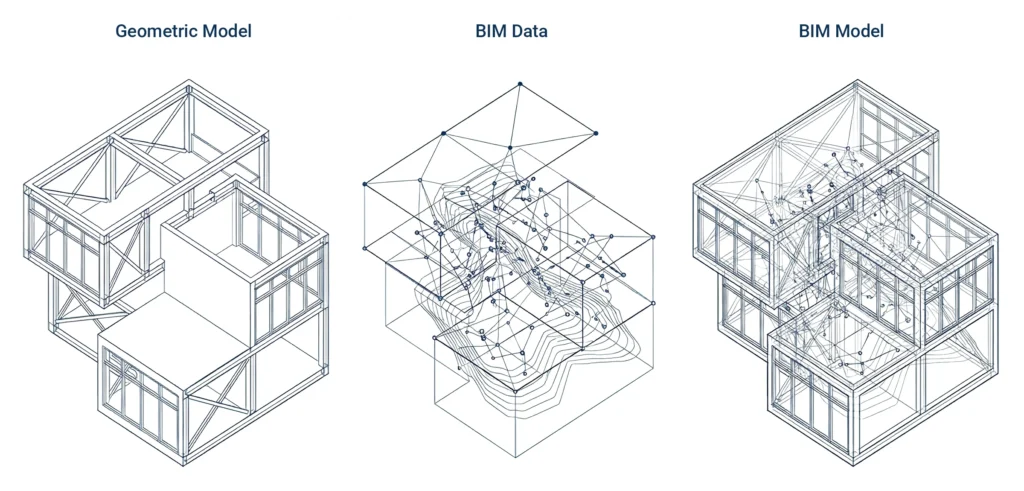
A bim model contains geometry and information for walls, floors, roofs, structural steel, and building systems such as HVAC and plumbing.
BIM Data, Project Data, and Data Management
Beyond geometry, BIM stores bim data, project information, and metadata used for coordination, scheduling, and facility management. Strong data management is essential for long-term value, especially when supporting facilities managers after handover.
BIM Dimensions Explained: 3D, 4D, and 5D
3D Modeling and Coordination
3D BIM enables spatial coordination and visualization across disciplines, reducing clashes during design and construction.
4D Construction Sequencing and Logistics
4D links models to time, supporting construction sequencing, construction logistics, and better planning of site activities.
5D Cost Estimation and Project Costs
5D connects quantities to budgets, improving control of project costs, operational costs, and financial decision-making.
The Role of Autodesk Revit in BIM
Architectural BIM Modeling in Revit
Autodesk Revit is widely used for architectural bim modeling, allowing architects to create coordinated models, drawings, and schedules from a single source.
Revit Within BIM Workflows and Common Data Environments
When integrated into a common data environment, Revit supports collaboration, version control, and structured project execution.For construction context, see what is BIM in construction .
BIM Explained for Beginners
The BIM Process From Design Phase to Construction
The bim process starts in the design phase and continues as construction begins, supporting coordination and documentation throughout.
How BIM Supports Project Execution
BIM improves project execution by aligning information across teams, reducing rework, and supporting predictable delivery.
BIM Implementation Guide for Small Architecture Firms
Starting BIM With Templates and Standards
Successful bim implementation starts with clear standards, templates, and expectations aligned to the project lifecycle.
Organizing Project Teams and Collaboration
Clear roles, structured project teams, and a shared data environment are essential for effective BIM adoption.
Practical BIM Adoption Steps
Small firms can adopt BIM incrementally, reducing risk while improving coordination and reducing project delays.For workflow support, contact MastTeam via BIM implementation .
Real-World BIM Use in Large and Complex Buildings
How BIM Is Used in Commercial Building Projects
In commercial buildings, BIM supports coordination across multiple disciplines, improves construction progress, and reduces risk.
What Construction Teams Rely on During Construction
Construction teams rely on coordinated models for sequencing, issue resolution, and reliable project information.See what is BIM coordination and What Is Clash Detection in BIM .
What LOD Means in BIM Projects
Level of Development Explained
LOD defines how complete and reliable model elements are at each stage of the project lifecycle. It helps align expectations across project stakeholders.
Matching LOD to the Project Lifecycle
Correct LOD use prevents over-modeling and supports efficient design and construction.Learn more in BIM LOD.
Challenges of Adopting BIM in Construction
People and Process Challenges
Many BIM challenges stem from process alignment, not technology. Clear responsibilities and standards are critical.
Data Exchange and Industry Foundation Classes (IFC)
Industry foundation classes support interoperability between BIM tools, helping manage data exchange across teams.
Managing Change, Timelines, and Expectations
Clear workflows and communication help teams manage project timelines, reduce friction, and support long-term facility management.
FAQ About BIM in Architecture
What is BIM in architecture?
It is a method of creating and managing a data-rich digital building model used throughout design and construction.
How do architects use BIM?
Architects use BIM to design, coordinate, document, and manage information across the project lifecycle.
Does BIM replace CAD?
BIM extends CAD by adding information modeling and lifecycle support.
What is stored in a BIM model?
Geometry, properties, quantities, relationships, and project data.
What are BIM dimensions?
3D (geometry), 4D (time), and 5D (cost).
What does LOD mean in BIM?
It defines the level of reliability and detail of model elements at each stage.