
If you are asking what is autodesk bim 360, you are looking at one of the most widely used cloud platforms for collaboration in construction and the AEC industry.
Autodesk BIM 360 is a cloud-based platform developed by Autodesk to support project management, document management, and model coordination-often used by teams delivering projects through professional BIM modeling services across the entire project lifecycle. It connects project teams, engineers, architects, and other stakeholders in one collaborative environment.
BIM 360 enables teams to access project data from desktop and mobile devices, manage documents, coordinate models, and control workflows across multiple project phases. It is designed to help companies deliver projects with greater visibility, coordination, and control.
Today, BIM 360 is part of Autodesk Construction Cloud, which expands its capabilities into a more integrated ecosystem.
For a foundational overview of BIM itself, see what is BIM in construction.
What Is BIM 360 Autodesk and How It Fits into Autodesk Construction Cloud
Many professionals also ask: what is bim 360 autodesk and how is it different from other Autodesk software?
Autodesk BIM 360 is not standalone BIM software like Revit. Instead, it is a cloud platform that connects BIM software tools, project teams, and construction workflows. It centralizes project data into a common data environment that supports collaboration across design, construction, and operations.
Autodesk Construction Cloud builds on BIM 360 by adding powerful new capabilities and integrated modules for construction management, safety management, and advanced analytics.
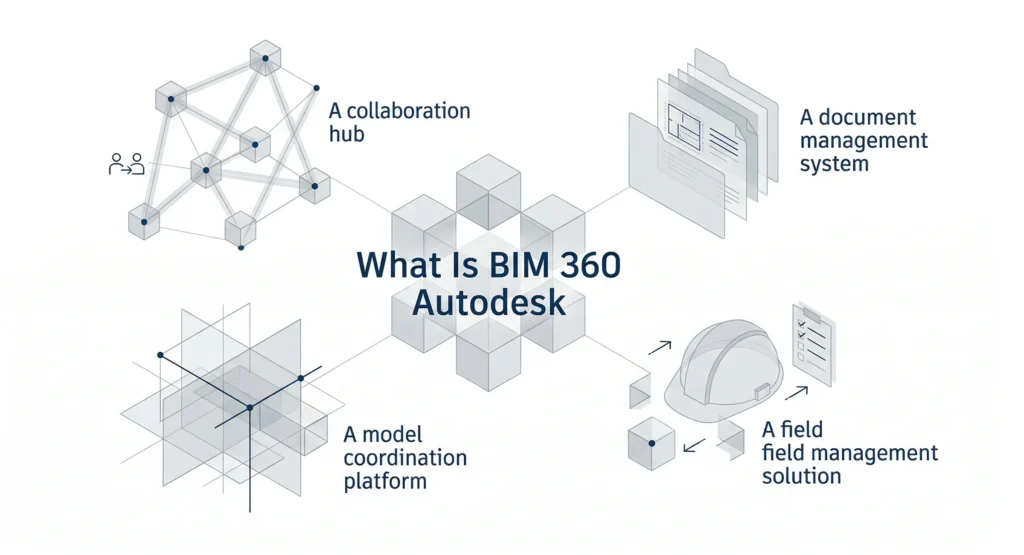
Within Autodesk Construction Cloud, BIM 360 acts as:
- A collaboration hub
- A document management system
- A model coordination platform
- A field management solution
This integrated platform allows project teams to create, share, publish, and control models and documents in one platform.
To understand how BIM software supports project delivery, see what is BIM software and how it supports real project delivery.
Core Modules of BIM 360
Autodesk BIM 360 includes several modules, each designed to support different aspects of construction and project management.
BIM 360 Docs
BIM 360 Docs is the foundation of document management within the platform. It serves as the common data environment where teams store, organize, and control documents, models, and drawings.
Key capabilities include:
- Version control
- Folder permissions
- Controlled publishing
- Single source of truth for project documents
- Secure user access management
With BIM 360 Docs, project teams can access the latest documents from the cloud, whether on desktop or in the field. This improves quality and reduces risk caused by outdated drawings.
Docs connects design teams, engineers, and construction teams through structured document workflows.
BIM 360 Design
BIM 360 Design focuses on design collaboration using Revit models.
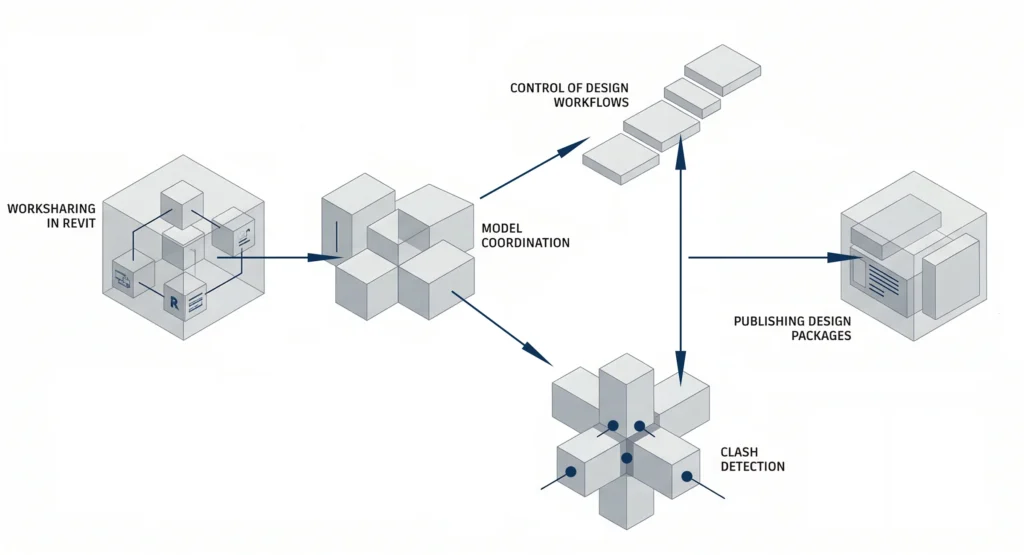
It allows multiple teams to collaborate on a central model in real time through the cloud. This supports:
- Worksharing in Revit
- Model coordination
- Clash detection
- Publishing design packages
- Control of design workflows
With BIM 360 Design, architects and structural engineering teams can collaborate without being in the same physical space. The platform synchronizes changes to the central model and maintains version control.
Field Management and Construction Management Modules
BIM 360 also includes modules for field management and construction management.
These modules support:
- Issue tracking
- Safety management
- Quality control
- Daily reports
- RFI management
- Submittal workflows
Field teams can access project data through mobile devices in the cloud, enabling real-time updates from the construction site.
These services improve coordination between office teams and field teams, helping companies deliver projects more efficiently.
How BIM 360 Supports Design Collaboration and Model Coordination
One of the strongest capabilities of BIM 360 is design collaboration.
Design collaboration within BIM 360 enables:
- Shared access to Revit models
- Controlled publishing of packages
- Clear coordination workflows
- Model comparison across project phases
Through BIM 360 Design, teams can collaborate in a shared cloud environment while maintaining control over changes.
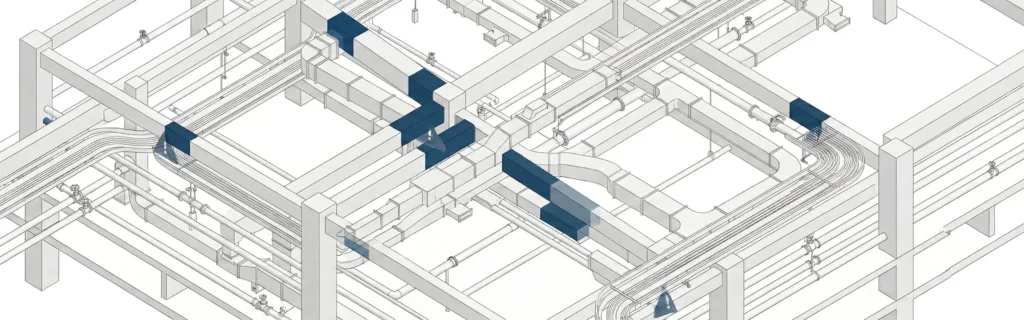
Model coordination tools help detect clashes between structural engineering, architectural, and MEP models before construction begins. This reduces risk and improves project delivery.
By connecting different teams in one platform, BIM 360 supports seamless collaboration across the project.
BIM 360 as a Common Data Environment
BIM 360 acts as a common data environment for the entire construction project.
A common data environment centralizes:
- Models
- Documents
- RFIs
- Submittals
- Schedules
- Project data
Instead of storing files across different systems, teams access a single source of truth in the cloud.
This improves:
- Version control
- Access control
- Folder permissions
- Transparency for stakeholders
Because BIM 360 is cloud-based, teams can connect from different locations and collaborate in real time. This collaborative environment improves coordination and communication across the AEC industry.
BIM 360 Across the Project Lifecycle
BIM 360 supports the entire project lifecycle, from design to operations.
During early project phases, teams use BIM 360 Design for design collaboration and model coordination.
During construction, BIM 360 Docs and field management modules support:
- Construction management
- Quality inspections
- Safety management
- Issue tracking
After construction, project data stored in BIM 360 supports operations and maintenance planning.
By connecting design, construction, and operations in one platform, BIM 360 improves lifecycle management and reduces fragmentation.To understand the broader BIM process, see how does BIM work step by step.
Key Capabilities for Project Management and Construction Workflows
Autodesk BIM 360 provides tools to manage complex construction workflows.
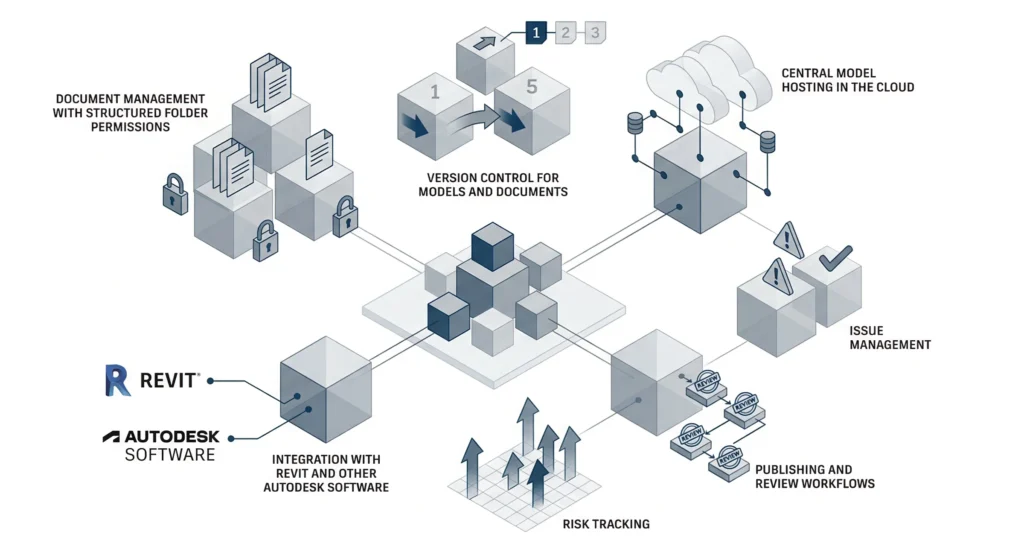
Key capabilities include:
- Document management with structured folder permissions
- Version control for models and documents
- Central model hosting in the cloud
- Issue management
- Risk tracking
- Publishing and review workflows
- Integration with Revit and other Autodesk software
These tools help companies create structured workflows that improve project management and project delivery.
Because BIM 360 connects teams across the cloud, it enables better coordination between architects, engineers, contractors, and other teams.
The platform allows teams to plan, collaborate, and maintain control across all project phases.
Benefits of Using Autodesk BIM 360 in the AEC Industry
In the AEC industry, Autodesk BIM 360 offers several benefits.
- Improved collaboration across project teams
- Stronger document management and version control
- Centralized data and single source access
- Reduced risk through early clash detection
- Enhanced field management and safety management
- Better visibility into project management metrics
Autodesk BIM 360 enables companies to focus on quality, coordination, and efficient construction workflows.
For organizations looking to align BIM strategy with modern construction standards, understanding what is BIM and why it matters in modern construction is a helpful next step.
If your company is evaluating BIM workflows or cloud collaboration strategies, you can reach out via the contact page for further discussion.
MastTeam supports organizations in understanding how platforms like Autodesk BIM 360 fit within broader BIM implementation strategies.

FAQ
What is Autodesk BIM 360 used for?
Autodesk BIM 360 is used for document management, design collaboration, model coordination, field management, and construction management within a cloud-based platform.
What is BIM 360 Autodesk in simple terms?
It is a cloud collaboration platform that connects Revit models, documents, and project teams across the project lifecycle.
Is BIM 360 part of Autodesk Construction Cloud?
Yes, BIM 360 is integrated into Autodesk Construction Cloud, which expands its capabilities and connects additional services.
How does BIM 360 support design collaboration?
BIM 360 Design allows teams to collaborate on a central model in Revit through the cloud with version control and publishing workflows.
What are BIM 360 Docs?
BIM 360 Docs is the document management module that provides a common data environment, folder permissions, and controlled access to project documents.
Who uses Autodesk BIM 360?
AEC professionals, engineers, contractors, and project management teams use BIM 360 to collaborate and manage construction workflows.