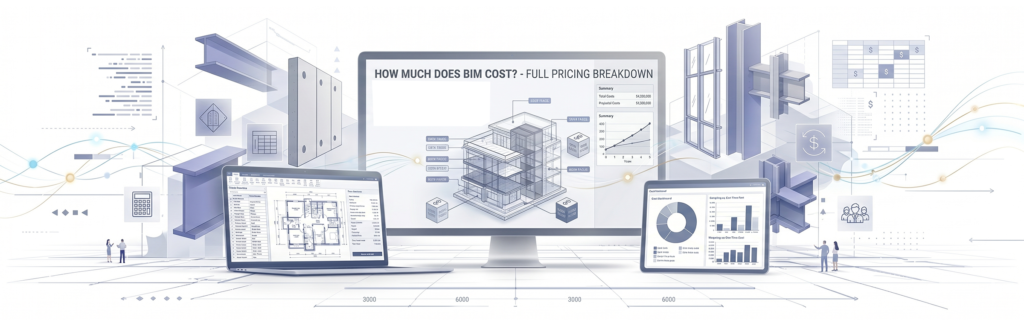

Building Information Modeling is no longer reserved for mega-projects with unlimited budgets. Across commercial, residential, infrastructure, and industrial sectors, BIM has become the default workflow – and with that shift comes a common question: what is the actual cost of BIM, and where does the money go?
This guide explains BIM pricing across every major variable, from per-square-foot modeling rates and BIM software licensing to scan to BIM services and the hidden expenses that surprise most first-time adopters.
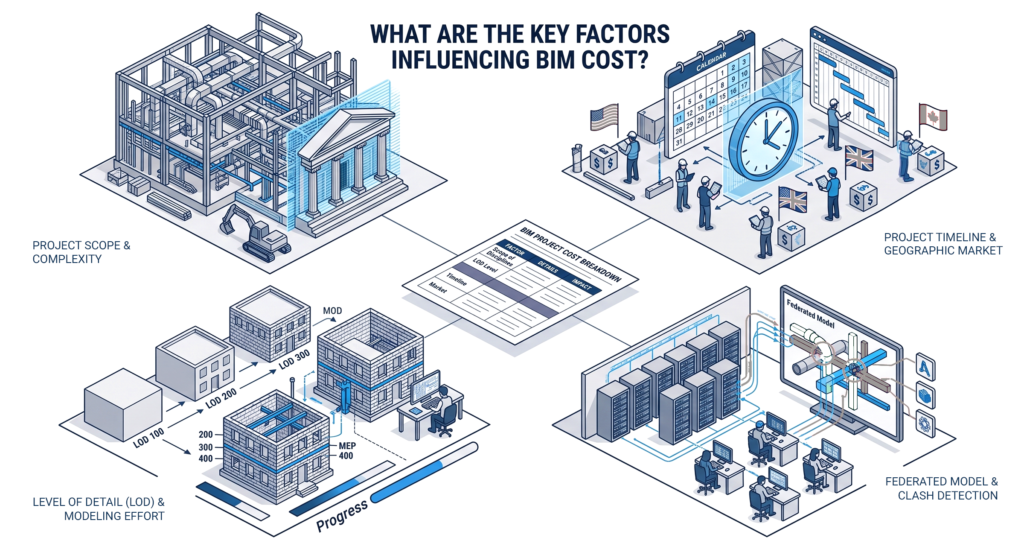
What Are the Key Factors Influencing BIM Cost?
No two BIM projects carry the same price tag. Understanding what drives BIM cost is the first step to building a realistic budget.
Project Size, Type, and Complexity
Project size and project type are the two most consistent cost drivers. A simple floor plan for a small residential project will require much less modeling work than a large industrial facility with complex MEP systems, structural steel and detailed facades.
The key factors influencing total spend on any BIM project typically include:
- Scope of disciplines
Architectural-only BIM models cost significantly less than federated models covering structural elements, MEP modeling, and civil engineering coordination. - Project complexity
Heritage structures, irregular geometry, and complex projects with multi-system clash detection require substantially more hours. - Project timeline
Often compressed timelines lead to increased costs, as more staff or parallel workflows are required to meet delivery dates. - Geographic market
BIM pricing in the US, UK, and Canada reflects local labor rates. Engaging a service provider in a lower-cost region can reduce actual costs without sacrificing quality.
Level of Detail and Modeling Effort
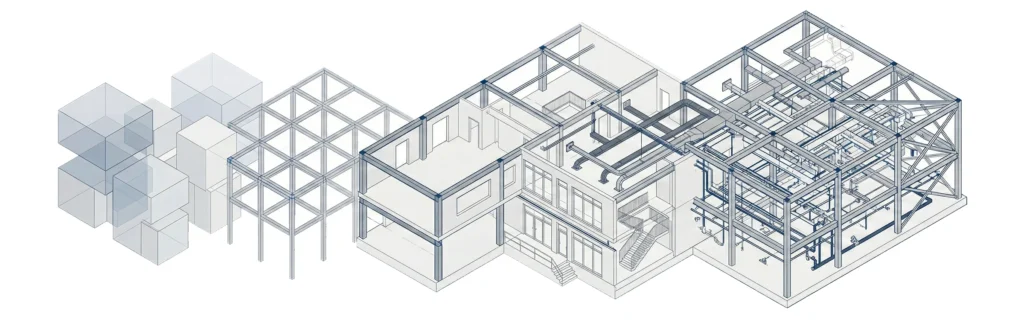
BIM models are built to different Levels of Development (LOD). LOD 200 supports conceptual design and early coordination. LOD 400-500 supports fabrication, shop drawings, and facility management handover. Higher LOD means more modeling effort, more hours, and a higher line item in your project’s budget.
The right model level depends entirely on what the BIM data will be used for – construction coordination, clash detection, structural modeling, or long-term asset management.
BIM Pricing Models – How Services Are Quoted?
Understanding the pricing model a service provider uses helps you compare quotes accurately and plan for total cost. The three most common BIM pricing models are the following:
- Per square foot – Standard for scan to BIM and full documentation projects. Rates typically vary from $0.03 to $0.15 per square foot depending on LOD and scope.
- Fixed price – A defined scope is priced at a set fee. This is the best option for BIM projects that are well documented with clear deliverables from the start.
- Hourly rate – Used for iterative work, revisions, and BIM coordination services where the scope evolves during construction phases.
Most providers price by square foot for documentation-heavy work and switch to fixed price or hourly for coordination-heavy deliverables.. Knowing which pricing structure applies helps you avoid scope creep surprises.
BIM Cost Per Square Foot – Typical Ranges by Project Type
Per-square-foot BIM pricing is the most common market benchmark. Here’s what the current pricing landscape looks like across project types:
| Project Type | BIM Cost Per Square Foot |
| Small residential projects | $0.03 – $0.06 |
| Commercial / office | $0.05 – $0.10 |
| Healthcare / large industrial | $0.08 – $0.15 |
| Heritage structures | $0.10 – $0.20+ |
These ranges reflect full information modeling scope. Structural BIM services alone – without MEP or architectural – typically sit at the lower end of each range.
For a 50,000 sq ft commercial building, a full BIM model typically runs $2,500 – $7,500. For complex projects with detailed facades, MEP systems, and coordination across multiple disciplines, actual costs can reach $10,000 – $15,000 or more. The BIM investment scales directly with project requirements – more systems, more coordination, more cost.
Scan to BIM Pricing – Point Cloud Data and Laser Scanning Costs
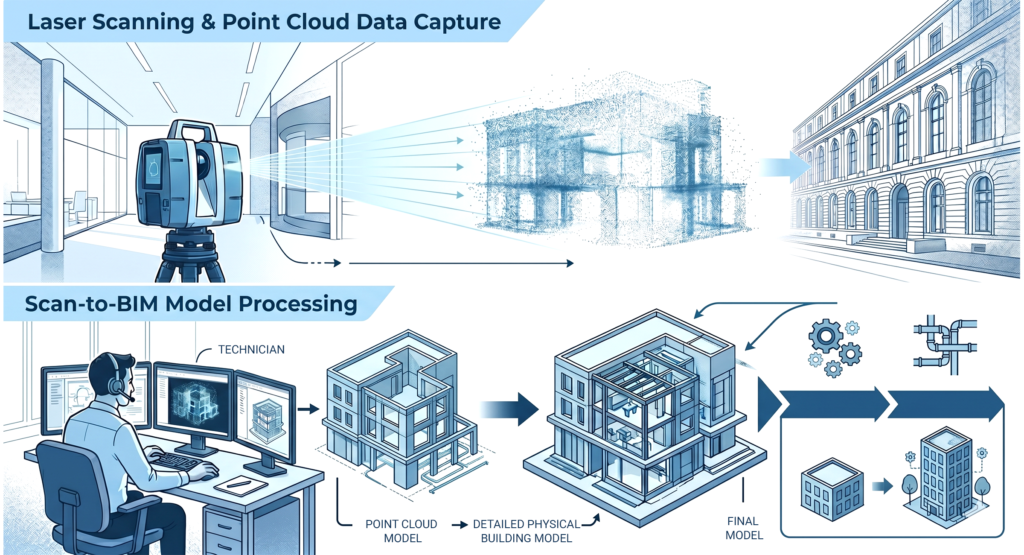
Scan to BIM is one of the fastest-growing service categories in the industry, used by property managers, government agencies, industrial facility managers, and construction professionals needing accurate existing-conditions documentation for renovation planning, future renovations, and asset management.
The process starts with a laser scan that produces point cloud data. That point cloud is then processed into a usable Revit model at the required LOD.
Scan to BIM pricing typically breaks into two components:
- Laser scanning – $0.02 – $0.08 per square foot, depending on site access, scan density, and building details.
- Point cloud to BIM modeling – $0.03 – $0.12 per square foot, based on LOD and complexity.
An accurate scan of a 20,000 sq ft building at LOD 300 typically costs $3,000 – $5,000 in total – scanning plus modeling. Heritage structures with ornate detail or irregular geometry push BIM cost higher. For any project where existing conditions matter, an accurate scan delivers proven accuracy that reduces costly errors during construction coordination.
For MEP engineers, structural engineers, and civil engineers working on retrofit or renovation projects, the point cloud data captured during scanning becomes a permanent digital asset that supports the full project lifecycle – from design through facility management.
What Is Included in BIM Costs?
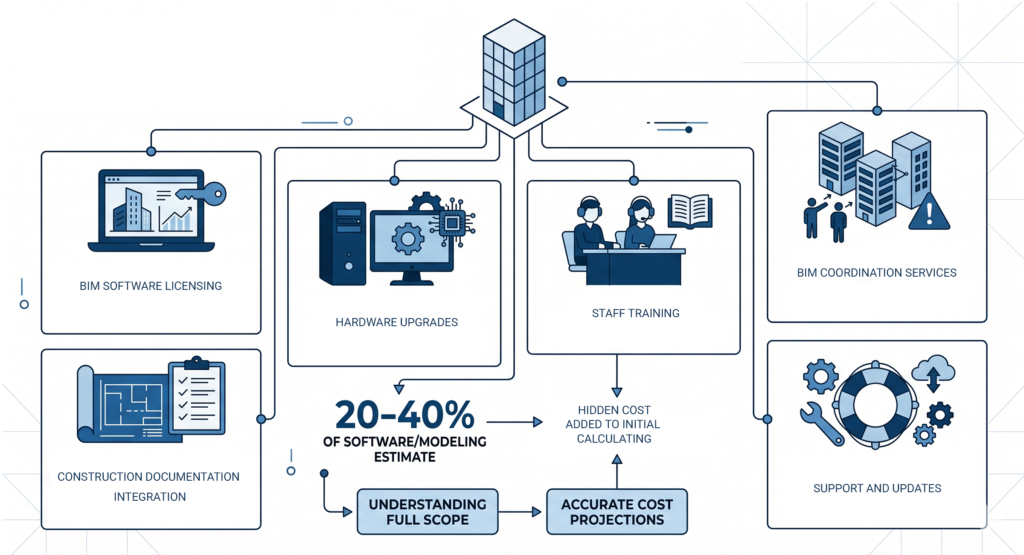
The line items that catch budgets off guard are rarely the modeling fees. They’re the surrounding costs that rarely appear in an initial quote:
- BIM software licensing – Autodesk Revit, the industry-standard BIM tool, runs approximately $2,745/year per seat. Other BIM software platforms carry comparable annual pricing models.
- Hardware upgrades – A capable BIM workstation costs $2,000–$5,000. Revit models and point cloud data are resource-intensive; underpowered hardware creates bottlenecks.
- Staff training – Teams transitioning from 2D CAD to BIM typically require 40–80 hours of training per person, which translates to both direct cost and temporary productivity loss.
- BIM coordination services – Clash detection reviews, model federation, and issue resolution add hours outside core modeling scope.
- Construction documentation integration – Linking the BIM process to permit drawings, shop drawings, and construction phases requires active coordination and adds to total project cost.
- Support and updates – Annual software maintenance, data sharing infrastructure, and IT support form a recurring layer of cost.
These hidden costs can add 20-40% on top of the software-only or modeling-only estimate. Factoring them into the project’s budget early prevents budget overruns during construction.
Understanding the full scope of construction documentation that BIM feeds into helps teams build more accurate cost projections from the start.
Outsourcing BIM Services vs. Building an In-House Team
This is the most consequential cost decision most AEC firms face. Here’s a direct comparison:
| Factor | In-House BIM Team | Outsourced BIM Services |
| Upfront cost | High (hardware + training + licenses) | Low |
| Ongoing cost | Salaries + annual BIM software licenses | Per-project fees |
| Scalability | Limited by headcount | High – scales with demand |
| Control | Full | Shared with service provider |
| Best for | High-volume, consistent BIM projects | Variable or peak-demand workloads |
For smaller project teams or firms managing inconsistent workloads, outsourcing BIM services to a dedicated service provider delivers lower actual costs per project. For firms running consistent construction projects at volume, an in-house BIM capability often delivers better value over a three-to-five year horizon.
The financial logic behind outsource vs in-house drafting applies directly here – fixed overhead vs. variable cost is the core question.
If you’re managing multiple projects simultaneously, coordinating BIM across several sites introduces its own complexity. Understanding how to manage multiple construction projects can directly impact how BIM scope and cost are structured.
BIM vs. Traditional CAD – Cost and Value Comparison
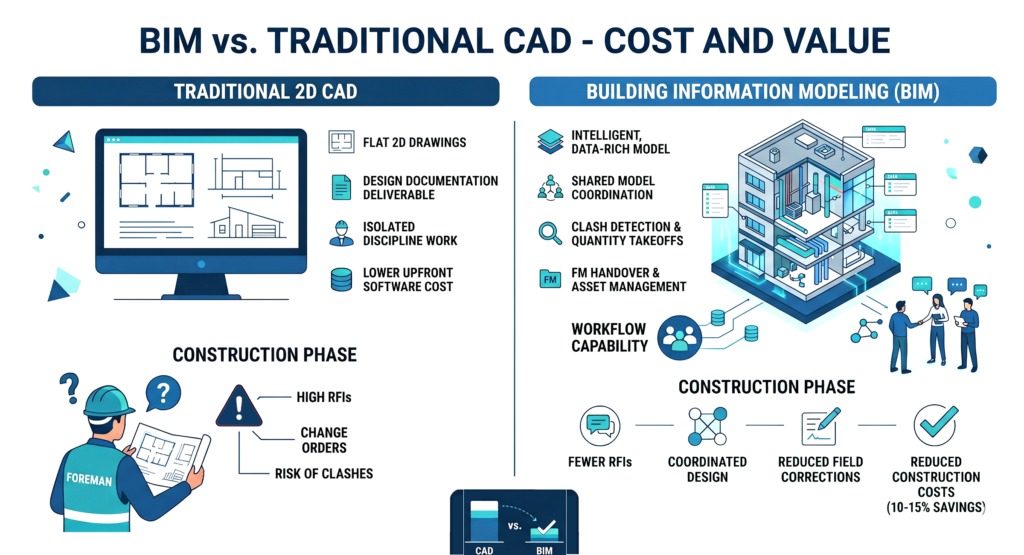
The cost difference between BIM and traditional 2D CAD isn’t a simple software price gap. It’s a workflow capability gap.
CAD produces flat 2D drawings. BIM produces an intelligent, data-rich building model that supports clash detection, quantity takeoffs, construction documentation, structural modeling, facility management handover, and digital asset management – all from a single source.
For straightforward projects where design documentation is the only deliverable, CAD remains cheaper upfront. But for anything involving coordination across disciplines, understanding the difference between CAD and BIM in construction reveals how the scope of what you can do with each technology drives very different total cost outcomes.
Projects using coordinated BIM models consistently report fewer RFIs, fewer change orders, and fewer budget overruns during construction phases. MEP engineers, structural engineers, and civil engineers coordinating in a shared BIM model catch conflicts before they become expensive field corrections. Studies across large commercial and infrastructure projects consistently show BIM reduces construction costs by 10–15% on complex projects – making the BIM investment case straightforward for anything beyond simple single-discipline work.For firms just beginning to assess BIM scope, understanding what is a BIM file provides helpful context before committing to a pricing model.
FAQ – BIM Cost Questions Answered
How much does BIM software cost?
Autodesk Revit – the most widely used BIM software – costs approximately $2,745/year per license. ArchiCAD, Vectorworks, and other platforms carry comparable annual BIM pricing. Enterprise agreements and multi-seat bundles can reduce per-seat costs.
How much does BIM modeling cost per square foot?
BIM modeling typically runs $0.03–$0.15 per square foot, depending on project type, LOD, and the number of disciplines included. Scan to BIM services add laser scanning costs on top of modeling fees.
Which is better, CAD or BIM?
BIM is the better choice for projects that require multi-discipline coordination, clash detection and facility management. CAD is the more economical choice for simple, single-discipline documentation where data-rich modeling isn’t needed.
What are the 5 levels of BIM?
BIM levels run from Level 0 (unmanaged 2D CAD) through Level 4 (BIM with integrated time and cost data). Most commercial projects target Level 2, which involves collaborative information modeling across disciplines. Some complex projects reach Level 3 for full integrated data sharing.
How much is a BIM license per year?
A single Autodesk Revit license runs approximately $2,745/year. This covers the core BIM software but doesn’t include add-ons, cloud collaboration tools like Autodesk BIM 360, or hardware costs.