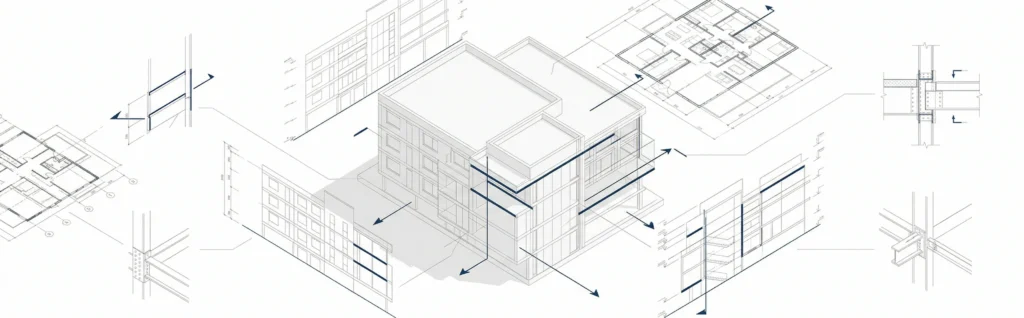

Architectural CAD drawing is a core part of modern architecture, allowing architects, designers, and contractors to create precise drawings for buildings and construction projects. Using cad software and computer aided design, teams can develop accurate plans, improve collaboration, and communicate ideas clearly across the entire workflow.
From floor plans to detailed construction drawings, architectural CAD drawing helps translate design concepts into technical documents used by builders, engineers, and other stakeholders.
What is an architectural CAD drawing
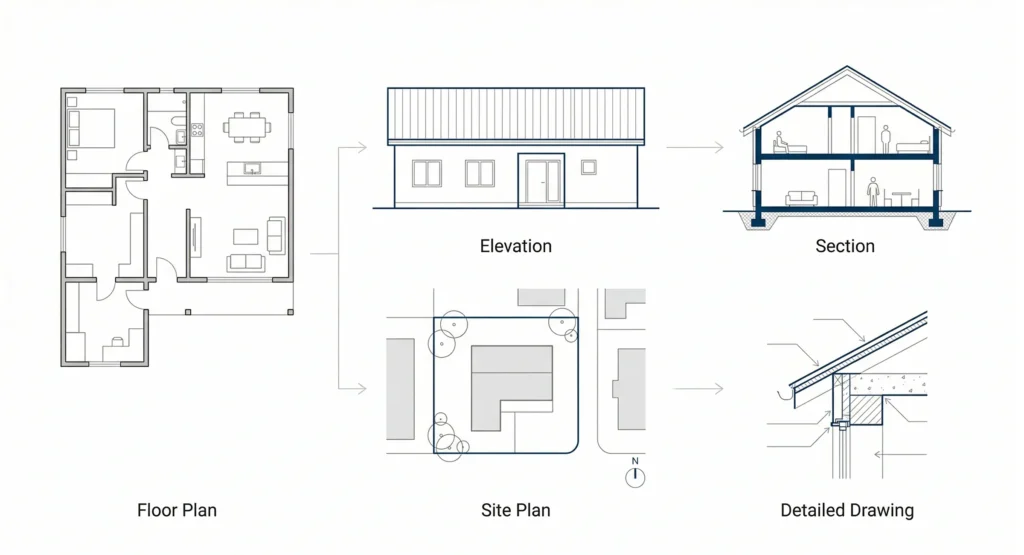
An architectural CAD drawing is a digital version of traditional architectural drawings created using cad tools and software. It includes floor plans, site plans, elevations, and detailed drawings that define how a building should be constructed.
These drawings are essential for construction professionals because they provide a detailed description of every element involved in a project-from structure and materials to doors, windows, and other details.
Architectural CAD drawing files are typically shared as pdf files or editable formats, making it easy for teams to collaborate and update designs throughout the process.
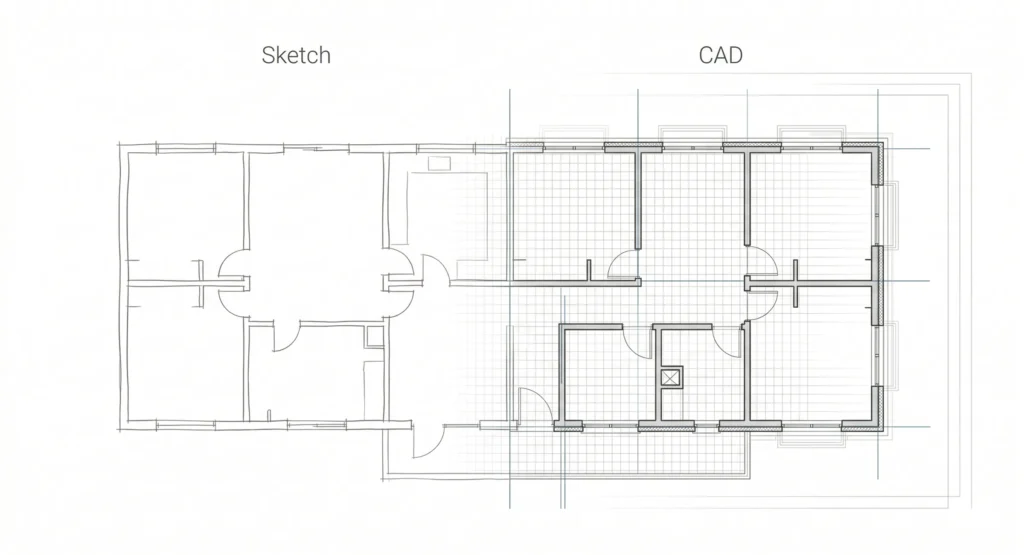
Purpose of CAD in architecture
The main purpose of CAD in architecture is to improve accuracy and streamline the design process. Compared to manual drafting, cad drafting allows architects to create drawings faster and with higher precision.
CAD helps:
- Improve accuracy in architectural drawings
- Save time during drafting and revisions
- Enable collaboration between architects, engineers, and contractors
- Communicate design ideas clearly to clients
This makes architectural CAD drawing essential for both residential and commercial projects.
Best software for architectural CAD drawings
There is a vast collection of cad software used for architectural CAD drawing. The best software depends on project needs and complexity.
Popular options include:
- AutoCAD for precise 2D drafting
- Revit for BIM-based workflows
- SketchUp for modeling and visualization
- Other software for rendering and presentation ready results
Each tool offers different features that help architects and designers create drawings efficiently.
AutoCAD vs Revit for architecture
AutoCAD and Revit are two of the most widely used cad software solutions in architecture.
- AutoCAD
- Focuses on 2D drafting
- Ideal for detailed drawings and documentation
- Revit
- Supports 3D modeling and information-rich workflows
- Enables better collaboration across teams
Many architects use both tools within the same workflow to create and manage architectural CAD drawing files.
How to learn architectural CAD for beginners
Beginners can start learning architectural CAD drawing by focusing on fundamentals:
- Learn basic cad drafting and symbols
- Practice creating floor plans and simple sketches
- Understand how to structure architectural drawings
- Explore tutorials using cad software
Starting from scratch, beginners should focus on developing skills gradually while working on small projects.
Examples of architectural floor plan CAD drawings
Floor plans are one of the most common examples of architectural CAD drawing. They show the layout of rooms, walls, doors, windows, and furniture within a building.
Examples include:
- Residential floor plans for custom home projects
- Commercial layouts for offices and retail spaces
- Site plans showing building placement
These drawings help clients and contractors understand how space is organized and how the building will function.
Key elements of an architectural drawing set
A complete architectural drawing set includes multiple types of drawings used throughout the design and construction process:
- Floor plans
- Elevations
- Sections
- Site plans
- Detailed drawings
Each component provides important project information and ensures that all stakeholders understand the design and construction requirements.
For a broader view of how design connects with drafting, see architectural design and drawing.
Cost to hire someone for architectural CAD drawings
The cost of architectural CAD drawing services varies depending on project size and complexity.
Factors affecting cost include:
- Type of building (residential or commercial)
- Level of detail required
- Number of drawings and revisions
- Experience of the architect or designer
Outsourcing cad drafting can help save time and ensure high-quality results, especially for large construction projects.
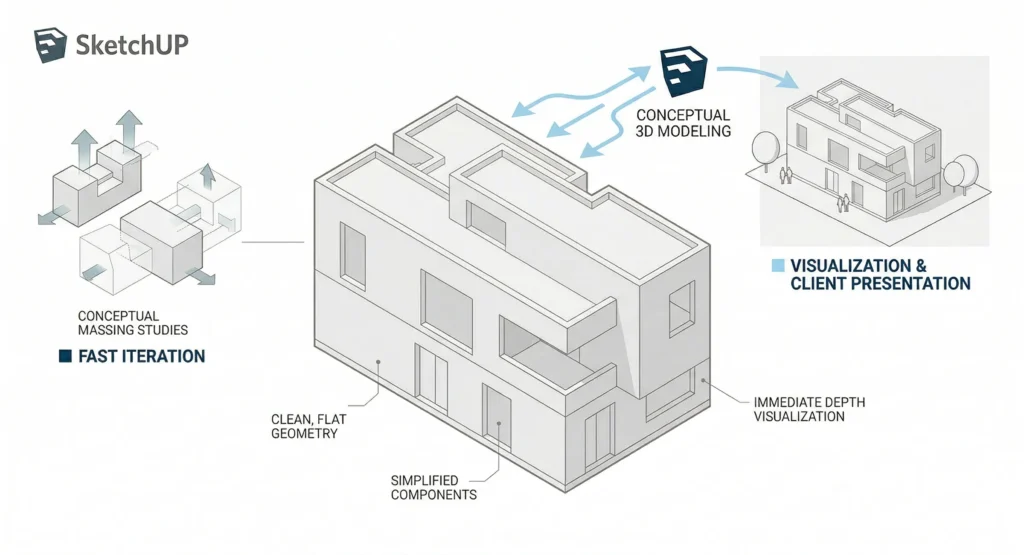
SketchUp for architectural modeling and drawing
SketchUp is a popular tool for architectural modeling and visualization. While not as precise as AutoCAD for drafting, it is widely used for developing concepts and creating renderings.
It allows designers to:
- Create 3D models quickly
- Visualize architectural ideas
- Generate presentation ready results for clients
SketchUp is often used alongside other cad software tools for a complete workflow.
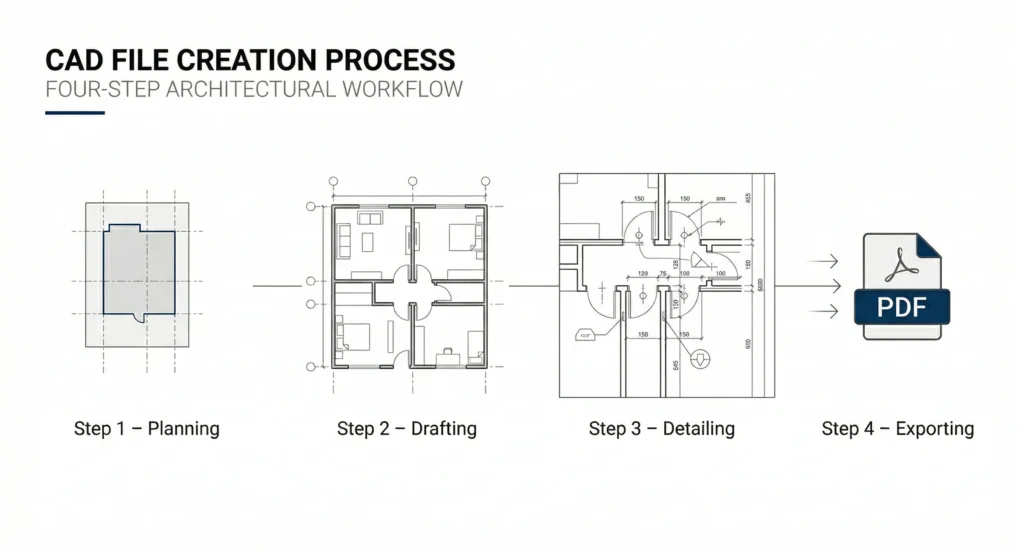
Creating a CAD file for a building plan
Creating architectural CAD drawing files involves several steps:
Planning
Define project requirements and gather information.
Drafting
Create floor plans, elevations, and other drawings using cad software.
Detailing
Add dimensions, symbols, and specifications.
Exporting
Save files as pdf or other formats for sharing with clients and contractors.
This process ensures that all drawings are accurate and ready for construction.
2D vs 3D CAD for architecture
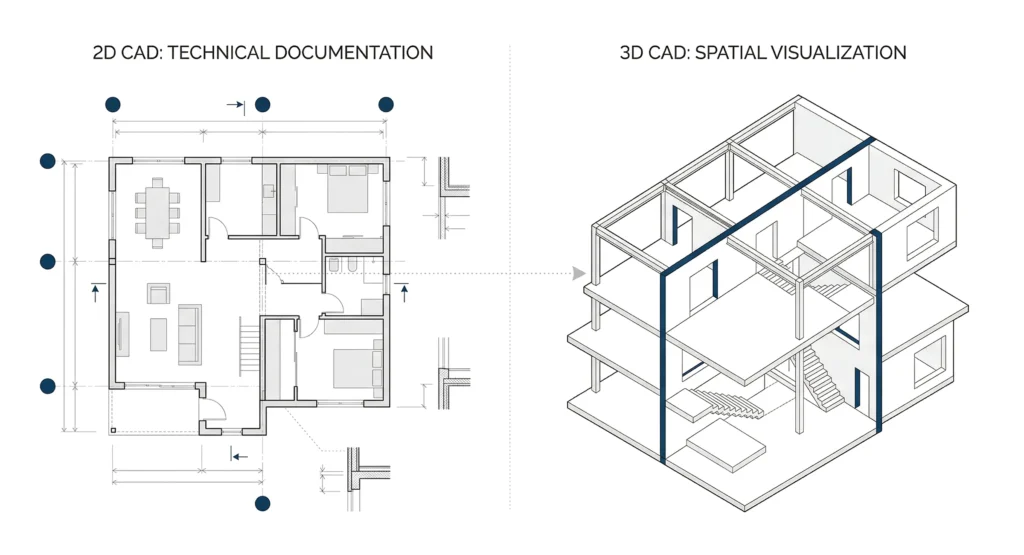
Both 2D and 3D CAD play important roles in architectural CAD drawing:
- 2D CAD
- Used for technical drawings and documentation
- Easier for construction teams to interpret
- 3D CAD
- Used for modeling and visualization
- Helps clients better understand design concepts
Using both methods allows architects to create comprehensive architectural CAD drawing outputs.
Architectural CAD drawing standards for US building permits
Architectural CAD drawing must follow specific standards for building permits in the US. These include:
- Accurate dimensions and scaling
- Compliance with building codes
- Inclusion of site plans and structural details
- Clear documentation for review
Meeting these standards ensures that construction projects can move forward without delays.
Teams often rely on structured workflows and architectural construction documentation services to maintain consistency across drawings.
Free architectural CAD software for students
Students can start learning architectural CAD drawing using free or low-cost software options.
Examples include:
- Free CAD tools for beginners
- Educational versions of AutoCAD
- Open-source design software
These tools allow students to practice drafting, explore ideas, and build a portfolio without high costs.
If you need help preparing architectural CAD drawing files or organizing your project documentation, you can contact the team.
FAQ
What is an architectural CAD drawing?
It is a digital drawing created using CAD software that represents building plans and construction details.
What software is best for architectural CAD drawing?
AutoCAD, Revit, and SketchUp are among the most commonly used tools.
What are architectural CAD drawing files used for?
They are used to communicate design, guide construction, and share project information.
How long does it take to learn CAD drafting?
Basic skills can be learned in a few weeks, but mastering CAD takes consistent practice.
Is 3D CAD better than 2D CAD?
Both are important-2D is used for technical drawings, while 3D helps with visualization.
Do I need CAD for architecture?
Yes, CAD is essential for modern architectural workflows and construction documentation.