
Understanding what is the difference between CAD and BIM is critical for modern design and construction teams. While both technologies are used in the construction industry, they serve different purposes and operate on fundamentally different principles.
Many professionals still use CAD files daily, while others rely on BIM models delivered through professional BIM modeling services for integrated workflows. The choice between CAD and BIM impacts collaboration, cost estimation, lifecycle management, and overall project efficiency.
Let’s break it down clearly.
What Is CAD and What Is BIM
Computer Aided Design (CAD)
Computer aided design CAD refers to digital drafting technology used for creating precise technical drawings in 2D and 3D. CAD software such as AutoCAD allows architects and engineers to produce floor plans, elevations, sections, and detailed drawings.
CAD models focus primarily on geometry. They represent shapes, lines, dimensions, and annotations. These drawings are typically saved as DWG files or other standard file formats.
CAD excels in:
- Creating precise technical drawings
- Producing 2D and 3D documentation
- Managing technical documentation
- Supporting early design concepts
However, CAD files are largely static drawings. They do not automatically update across disciplines.
Building Information Modeling (BIM)
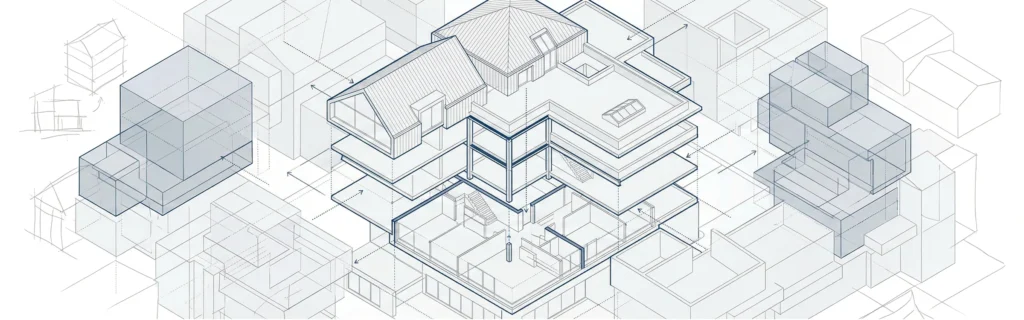
Building information modeling is an information modeling process that creates intelligent BIM models instead of static drawings.
Unlike CAD, BIM software such as Autodesk Revit generates a data-rich digital representation of a building. BIM files include geometry plus:
- Materials
- Quantities
- Specifications
- Cost estimation parameters
- Lifecycle management data
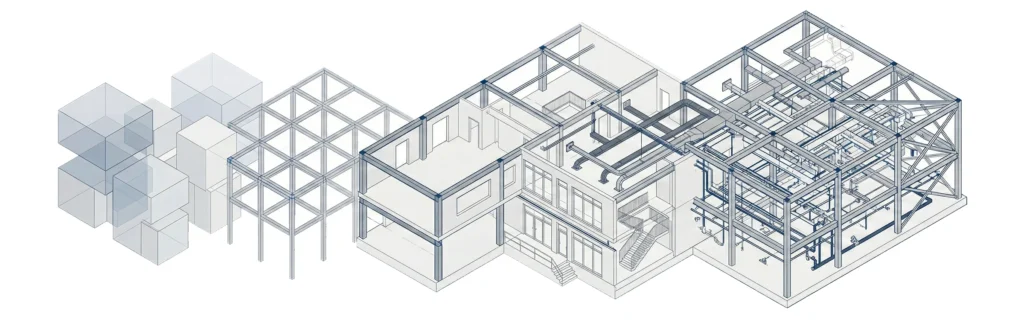
BIM supports the entire project lifecycle – from initial design through facility management.
Key Differences Between CAD and BIM
The key differences between CAD and BIM go beyond software. They involve philosophy, workflow, and data integration.
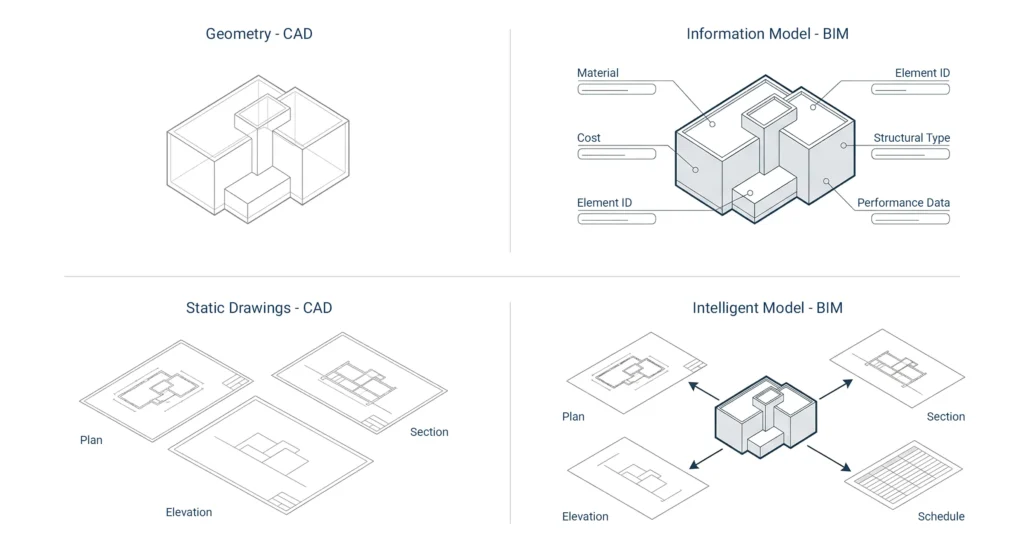
1. Geometry vs Information
CAD focuses on drafting geometry.
BIM integrates geometry with structured information modeling.
2. Static Drawings vs Intelligent Models
CAD files are static drawings.
BIM models are dynamic and interconnected.
If you modify one element in a BIM environment, related views and schedules update automatically.
3. Project Lifecycle Coverage
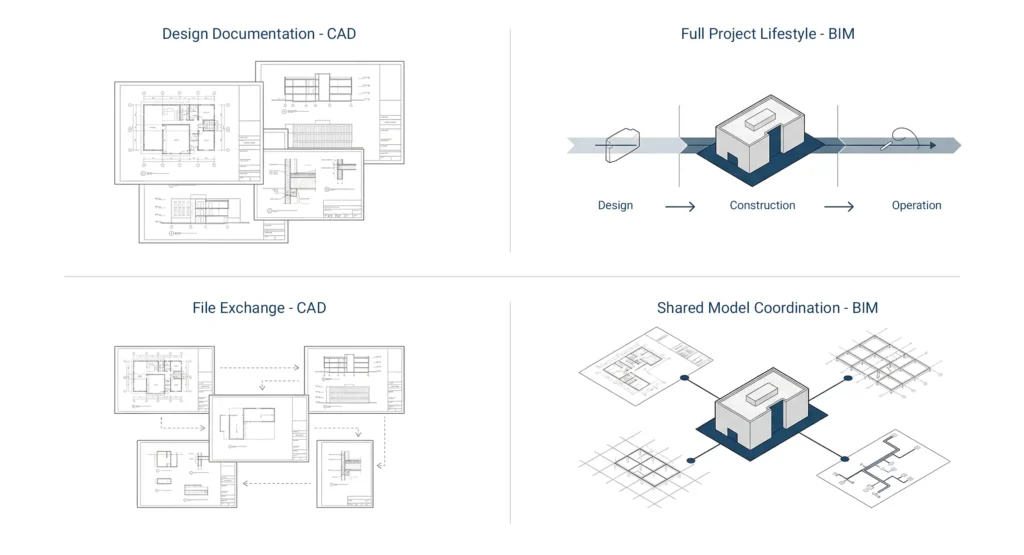
CAD supports design documentation.
BIM supports the entire project lifecycle – including construction, project management, and facility management.
4. Collaboration
CAD and BIM differ significantly in collaboration features.
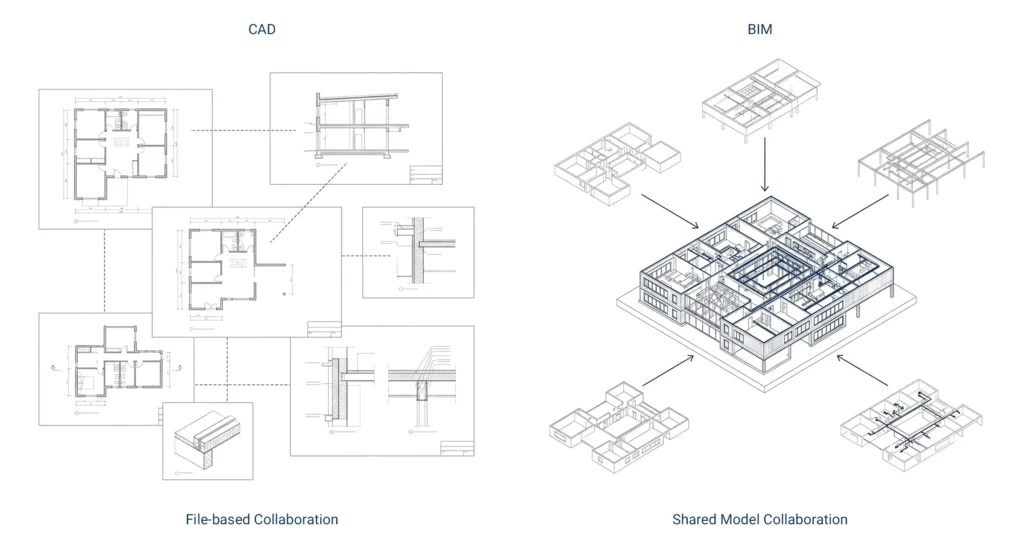
CAD tools allow file sharing.
BIM offers real-time coordination across multiple stakeholders and multiple disciplines.
This distinction is central when comparing BIM and traditional drafting workflows.
BIM vs CAD in the Design Process
During early design and concept development, CAD remains widely used. It allows rapid 2D and 3D drafting.
However, as projects grow more complex – especially in commercial buildings and large scale projects – BIM vs CAD becomes a strategic decision.
BIM supports:
- Building design coordination
- Cost estimation integration
- Clash detection
- Lifecycle planning
To understand practical implementation, see how does BIM work step by step .
File Formats and Data Structure
One of the most technical differences between CAD and BIM lies in file formats and data structure.
CAD File Formats
CAD uses DWG format and other standard cad file formats. These file types store geometry and annotations.
Autocad files and other cad files are widely compatible across different software platforms.
However, they lack embedded structured project data.
BIM File Formats
BIM files store object-based data and relationships.
They can also use Industry Foundation Classes (IFC) to support interoperability.
This structured data approach enables:
- Cost estimates
- Design documentation automation
- Collaboration across software platforms
- Lifecycle management integration
BIM vs CAD for Construction Projects
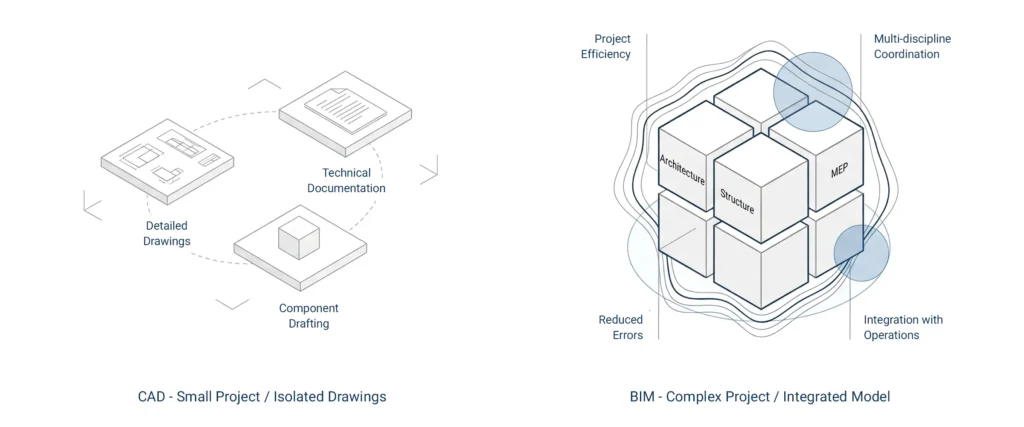
In small construction projects, CAD remains practical and efficient.
CAD remains useful for:
- Detailed drawings
- Technical documentation
- Specific components drafting
But in complex projects and commercial building projects, BIM offers measurable advantages.
BIM offers:
- Improved project efficiency
- Better coordination between multiple disciplines
- Advanced project management capabilities
- Reduced errors before construction begins
- Integration with operational processes
Collaboration and Project Management
One of the most critical differences in BIM vs CAD discussions is collaboration.
CAD files must be manually shared and updated.
Multiple stakeholders may work on separate files, increasing coordination risk.
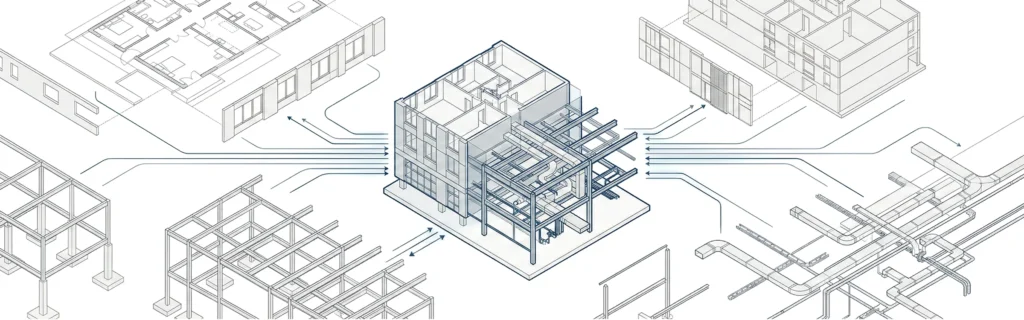
In contrast, BIM environment supports centralized data access.
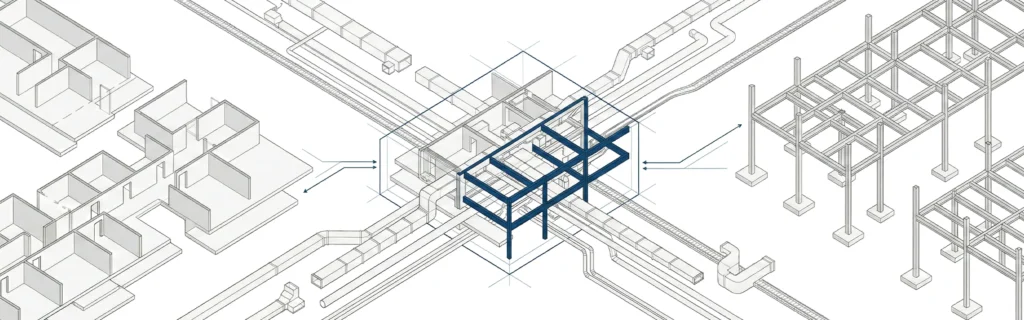
Project stakeholders – including architects, structural engineers, and MEP consultants – work within detailed models.
This reduces:
- Design conflicts
- Rework
- Cost estimation errors
- Delays during construction
In modern construction industry workflows, BIM capabilities significantly enhance project management.
CAD to BIM Conversion
Many firms operate hybrid workflows.
CAD to BIM conversion allows organizations to convert CAD files into BIM models.
This process is common when:
- Modernizing legacy commercial buildings
- Transitioning engineering firm workflows
- Adopting BIM gradually
Converted CAD models become part of structured BIM workflow systems.
For model maturity standards, see BIM LOD Explained Levels 100–500.
BIM vs CAD in Large Scale and Industrial Projects
In industrial market applications and large scale projects, BIM vs CAD differences become even more evident.
Industrial facilities often require:
- Complex coordination
- Multiple disciplines
- Strict project lifecycle management
- Detailed models for facility management
CAD remains relevant for drafting.
But BIM supports:
- Operational processes
- Long-term asset tracking
- Digital twin strategies
- As built BIM model development
When to Use CAD, BIM, or Both
Use CAD when:
- Drafting 2D layouts
- Working in early design
- Managing smaller projects
- Producing detailed drawings quickly
Use BIM when:
- Coordinating multiple stakeholders
- Managing commercial building projects
- Handling complex projects
- Integrating cost estimation and lifecycle management
In practice, many engineering firms use CAD and BIM together.
If your team is evaluating adopting BIM or transitioning workflows, you can discuss structured approaches via Contact MastTeam.
FAQ
What is the difference between CAD and BIM?
CAD focuses on drafting geometry, while BIM integrates geometry with structured information modeling for the entire project lifecycle.
Is BIM replacing CAD?
Not entirely. CAD remains useful for drafting tasks, but BIM offers broader lifecycle and collaboration capabilities.
Can CAD files be converted to BIM?
Yes. CAD to BIM conversion allows CAD models to become structured BIM models.
Which is better for commercial buildings?
For complex commercial buildings and large scale projects, BIM offers stronger coordination and project management features.
Do construction professionals still use CAD?
Yes. CAD remains widely used for documentation, drafting, and precise technical drawings.
What software is used for BIM?
Common BIM software includes Autodesk Revit and other structured information modeling tools.