
BIM Clash Detection Simple Explanation
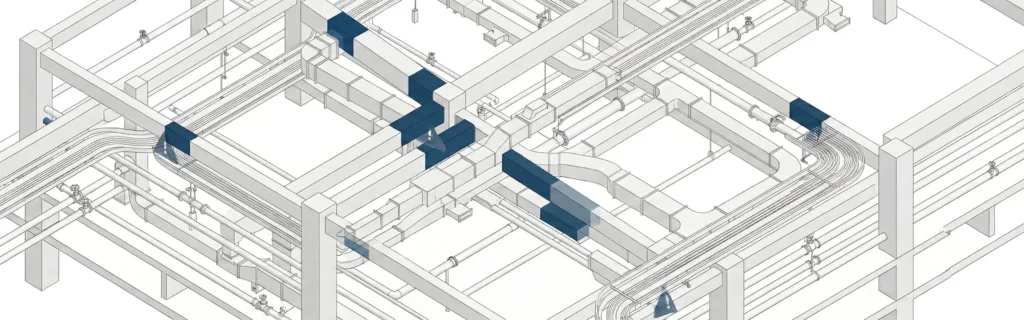
What is clash detection in BIM? It’s a way to automatically check a BIM model for conflicts where two or more components compete for the same space-for example, ductwork cutting through a structural beam, or a pipe running through a wall opening that was never designed.In simple terms, clash detection helps project teams “stress test” the digital model so problems show up on-screen before they show up on site. When done early, it supports a coordinated model that construction teams can build from with fewer surprises.
What clash detection checks in a BIM model
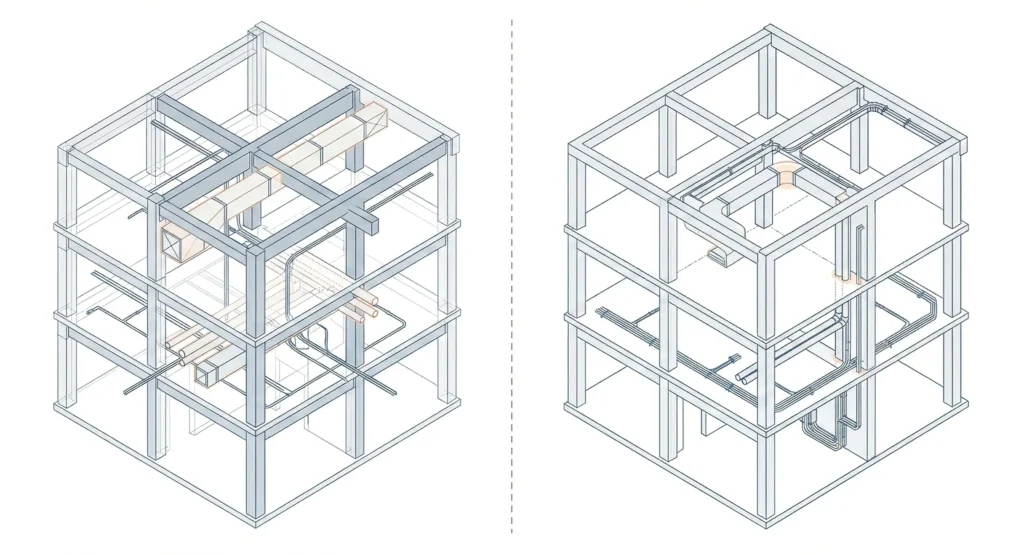
A typical bim clash detection review checks:
- Geometry overlaps (hard clashes)
- Clearances and access (soft clashes)
- Constructability constraints and spatial relationships
Some process-related issues like scheduling conflicts or a workflow clash (depending on tools and rules)
Why “same space” issues happen
Clashes happen because different disciplines work in parallel. Architectural, structural, and MEP modeling often moves forward at the same time, with different assumptions and deadlines. Without a structured check, conflicting elements can slip through-especially in modern construction where MEP systems are dense and spaces are tight.
How Does Clash Detection Work in Building Information Modeling
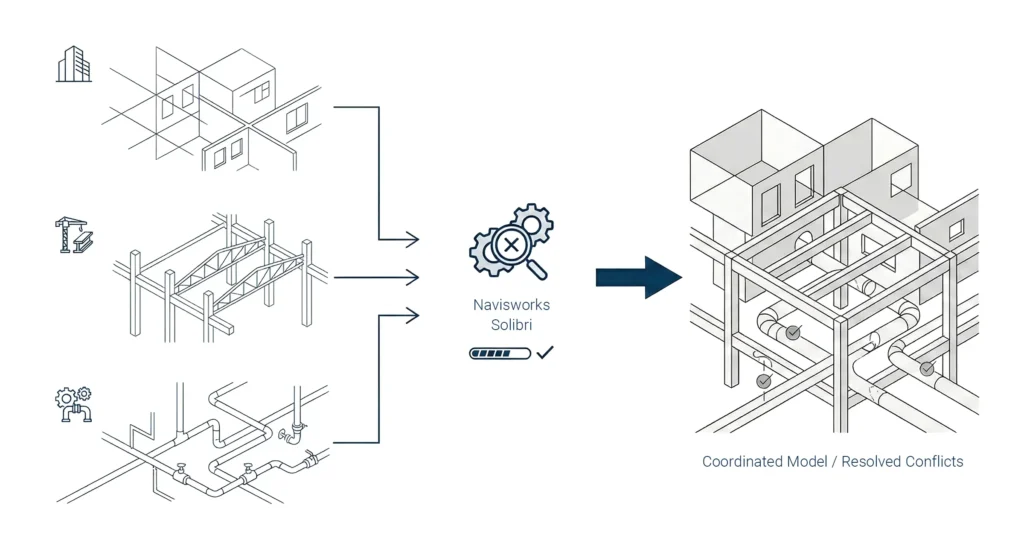
If you’re asking how does clash detection actually work, the concept is simple: combine models, apply rules, detect conflicts, then manage and resolve them.
From all the models to a coordinated model
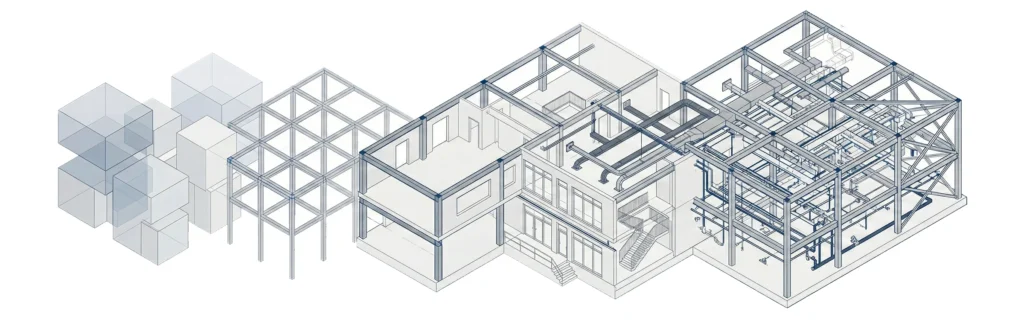
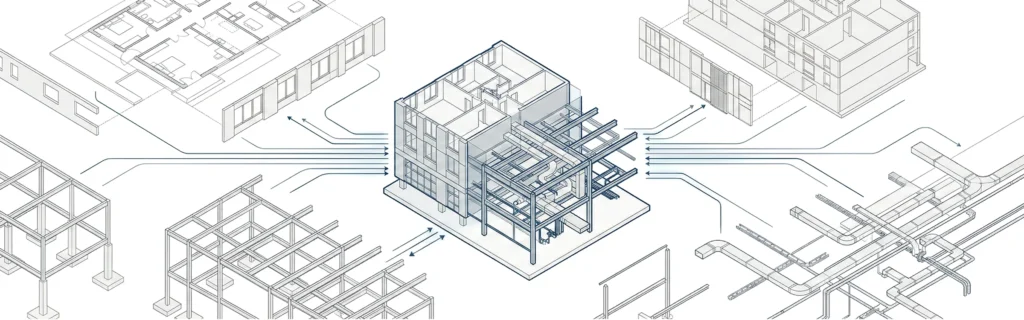
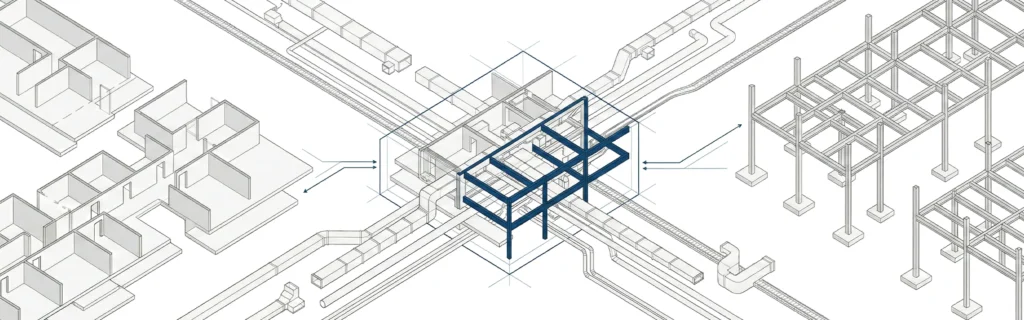
Most projects create “discipline models” (architecture, structure, mechanical, electrical, plumbing, fire protection). Clash detection starts by bringing all the models into one review environment and creating a coordinated model for checking spatial conflicts. That combined view makes it easier to detect clashes that no single team can see alone.
Clash detection rules and clash analysis basics
Clash checks rely on clash detection rules-for example, which categories are tested (ducts vs beams), what tolerance is allowed, and whether a buffer zone is required. Then the software runs a clash analysis to find where elements intersect or violate clearance criteria. Results are organized into groups (sometimes you’ll see group clashes), so the team can focus on the highest-impact items first.
What Is the Purpose of Clash Detection in BIM
The purpose of clash detection in BIM is to find and fix design conflicts while changes are still easy to make-ideally at the project’s earliest design milestones.
Catch issues in the design phase and design stage
Clash detection is most effective in the design phase and early design stage because updates are cheaper than field fixes. A coordinated model at this point can prevent rework once construction begins and reduce the risk of late redesign.
Support project management and project success
Clash detection supports project management by turning “possible problems” into trackable issues with owners and due dates. When teams consistently resolve and re-check, it improves predictability and supports project success across the entire project.
Benefits of Using Clash Detection in Construction
Clash detection is not just a modeling exercise. It directly affects the construction process, especially in complex buildings.
Reduce project delays and material waste
When clashes are found late, fixes can cause project delays, schedule compression, and extra materials. When clashes are found early, teams can avoid rework, reduce material waste, and keep the construction phase moving more smoothly.
Improve construction phase coordination for construction teams
Clash detection supports construction teams by reducing field conflicts between trades. That leads to fewer stop-and-start installs and cleaner handoffs between disciplines-especially when the model is used as a shared reference during the construction phase.
What Software Is Used for BIM Clash Detection
Clash detection is typically done with dedicated review tools rather than only inside authoring tools.
Specialized clash detection software and common BIM software
Many teams use specialized clash detection software because it can combine models, apply advanced rules, and manage results. You’ll also hear the term clash detection software used broadly for tools that run tests and organize outputs into issues and reports.
Teams may still do some checking inside BIM software (like authoring tools), but larger coordination efforts usually move to specialized software for consistent workflows.
Autodesk Construction Cloud and related tools
Some teams connect clash workflows to platforms like Autodesk Construction Cloud for sharing issues and coordination updates with project participants. The best setup depends on how project teams manage approvals, documentation, and responsibilities.For a broader overview of tool categories, see What Is BIM Software.
What Are the Different Types of Clashes in BIM
Not every clash is the same. Understanding types helps teams prioritize and apply the right rules.
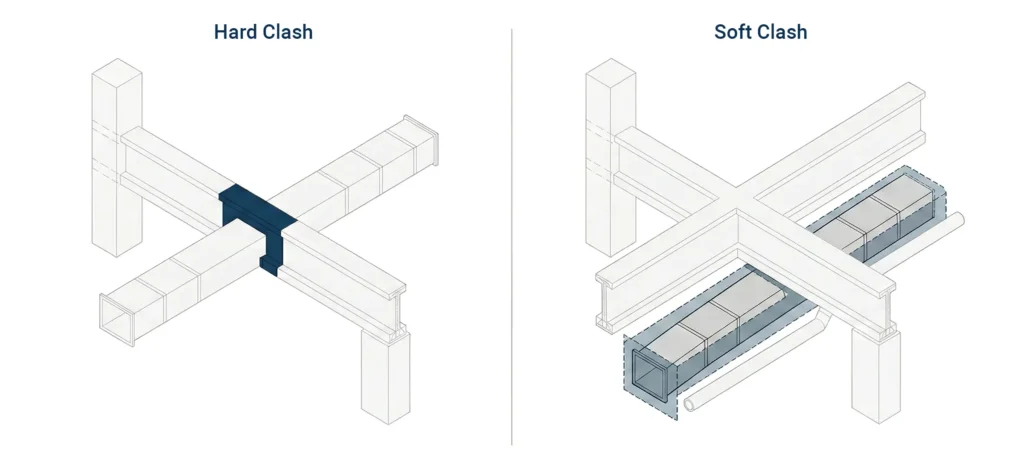
Hard clashes occur when elements overlap
Hard clashes are physical intersections-where solids overlap in the model. Hard clashes occur when elements like ducts, pipes, or conduits run directly through structural or architectural elements without openings or allowances.
Soft clash occurs when clearance is missing
Soft clashes are clearance or access violations. A soft clash occurs when an element is too close to another element, or when there isn’t enough maintenance/service space-often defined by a buffer zone or clearance rule.
Scheduling conflicts and workflow clash
Some teams also track scheduling conflicts-for example, two trades planned to install in the same area at the same time-or a broader workflow clash where sequencing or access makes the planned approach unrealistic. These may require coordination beyond geometry, but they still benefit from a structured process.
Navisworks vs Solibri for Clash Detection
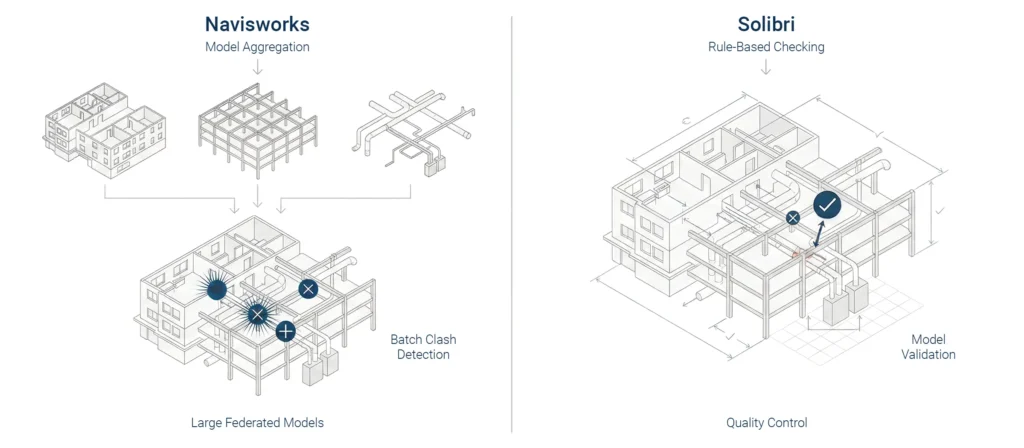
Both tools are commonly used for model review, coordination, and clash workflows, but teams choose based on project needs and file standards.
Typical use cases in commercial construction
In commercial construction, Navisworks is often used for model aggregation, clash testing, and reviewing large federated models. Solibri is often used for rule-based checking and model quality reviews, depending on how teams structure clash detection rules and what outputs they need.
How project teams choose tools
Project teams usually consider:
- Model formats and interoperability needs
- Required rule checks and reporting depth
- Collaboration workflows across project participants
- Who owns the coordination process (GC, lead designer, trade partners)
Hard Clash vs Soft Clash Explained
Hard vs soft clashes is one of the most important beginner concepts because it changes how you resolve issues.
Example: structural beam vs MEP systems
A classic example: a supply duct passes through a structural beam. That’s a hard clash and typically requires rerouting the duct, resizing the duct, or coordinating an opening (based on structural approval). This is common where dense MEP systems run through tight ceiling zones.
Using a buffer zone to avoid spatial conflicts
Soft clashes often involve “near misses.” For example, a pipe may clear a beam but violates a required insulation or service clearance. Adding a buffer zone to rules helps flag these spatial conflicts early, before fabrication and installation decisions lock in.
What Is a BIM Clash Report
A clash report is the documented output of a clash test. It turns raw collisions into actionable information that project teams can track.
What a clash report includes
A useful clash report typically includes:
- Clash ID and location/level
- The two (or more) conflicting elements
- Screenshots and viewpoints
- Clash type (hard, soft, workflow)
- Assigned owner and due date
- Status notes for addressing conflicts and resolving clashes
You may also hear “clash detection reports” used when multiple tests are packaged into a weekly or milestone summary.
How to generate clash reports and track resolving clashes
Most tools can generate clash reports as PDFs, spreadsheets, or issue lists. The key is consistency: use the same naming, grouping, and status conventions so the team can see progress. Good reporting supports clash management and reduces repetitive debates across meetings.
Clash Detection Best Practices for Beginners
Beginners often focus only on running tests. The real gains come from doing the basics consistently and keeping the process clean.
Start with project specifications and project participants
Before running tests, confirm project specifications: tolerances, clearances, and what counts as a clash. Also confirm who the project participants are and who owns which scope. Clear ownership reduces back-and-forth when addressing conflicts.
Reduce repetitive tasks and improve clash avoidance
Best practices that help beginners:
- Start clash checks early in the design phase (don’t wait for “perfect” models)
- Use clear clash detection rules with practical tolerances
- Group results logically (by floor, system, or trade)
- Focus on high-impact zones first
- Track changes and re-test after fixes
- Build habits that support clash avoidance, not just “clash finding”
This approach leads to more effective clash detection over the project lifecycle.
Role of Clash Detection in Project Cost Savings
Clash detection supports cost control by reducing rework and schedule risk.
Cost and time savings across the entire project lifecycle
When clashes are found early, teams reduce field changes and compress fewer schedules. That leads to cost and time savings, fewer change orders, and more stable planning across the project lifecycle. The impact is strongest when the process starts at the project’s earliest design checkpoints and continues through key coordination milestones.
Who benefits: project managers, structural engineers, MEP engineers
Benefits show up across roles:
- Project managers get clearer issue visibility and fewer last-minute surprises
- Structural engineers see fewer late requests for openings or structural changes
- MEP engineers get better routing options earlier
- Construction professionals get fewer disruptions once construction begins
Clash Resolution Process in BIM Workflow
Clash detection is only half the job. The other half is a repeatable resolution workflow.
Assign, fix design conflicts, and re-test
A practical resolution loop looks like this:
- Run a clash test and review top issues
- Assign owners (discipline leads or trade partners)
- Update the model to fix design conflicts (reroute, resize, adjust levels, coordinate openings)
- Re-run the clash test to confirm the clash is resolved
- Update status and close the issue
This cycle supports resolving conflicts in a controlled way and keeps the coordinated model reliable.
Clash management from issue to closeout
Strong clash management includes:
- Clear naming and grouping conventions
- Consistent meeting cadence and decision documentation
- Transparent status tracking for resolving clashes
- A shared understanding of tolerances and responsibilities
It’s also important to know when to stop chasing low-impact clashes so the team can focus on project outcomes.For how this fits into bigger coordination routines, see What Is BIM Coordination.
How to Run a Clash Test in Revit Tutorial
Revit can help catch some issues early, especially within a single discipline model, and it can support quick checks before using specialized software.
Quick “run clash detection” steps in Revit
A practical beginner approach:
- Confirm you’re using the right linked models (architecture/structure/MEP as needed)
- Use visibility settings to isolate the systems you want to check
- Run an interference-style check (a simple clash test) between categories
- Review results and create a short list for follow-up
- Update models and re-check before exporting for coordination
This won’t replace dedicated tools for full-team workflows, but it helps reduce obvious conflicts early.
When to use point cloud data for renovation projects
For renovation projects, reality can differ from drawings. Using point cloud data can help align the BIM model to existing conditions and reduce false assumptions that lead to clashes later-especially in tight areas with unknown routing.
If you’re building BIM fundamentals alongside tooling, How Does BIM Work adds useful context, and BIM LOD helps clarify what detail is appropriate at each stage.
Next steps
If you want help setting up a practical clash detection process, reporting format, or coordination workflow standards, MastTeam can support your project teams. You can contact us.
FAQ
What is clash detection in BIM?
It’s the process of checking a BIM model to find spatial conflicts between elements before construction begins.
What are hard clashes and soft clashes?
Hard clashes are physical overlaps. Soft clashes are clearance issues where a buffer zone or access space is missing.
When should clash detection happen?
Start in the design phase and repeat at key milestones so issues are resolved before construction begins.
What does a clash report include?
A clash report lists conflicts, locations, screenshots, owners, and statuses so project teams can track resolving clashes.
Does Revit replace specialized clash detection software?
Revit supports basic checks, but specialized clash detection software is usually needed to combine all the models and manage reports consistently.
How does BIM help in clash detection?
BIM helps by creating a coordinated model where different disciplines’ elements can be reviewed together, so teams can detect clashes and fix them early.
Key takeaways clash detection
Clash detection works best when rules are clear, results are tracked, and resolution is repeated through the project lifecycle-not treated as a one-time test.