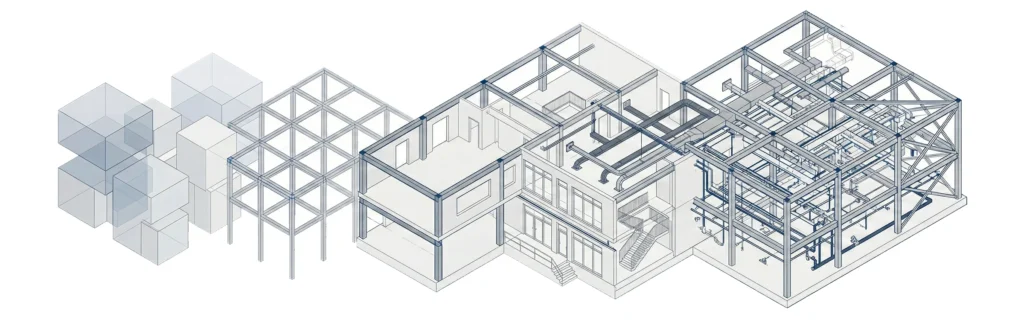

Explain Level of Development in Building Information Modeling
BIM LOD (Level of Development) defines how reliable and usable model elements are within a building information model at different project stages of a construction project. It communicates not only how something is graphically represented, but also how much confidence project teams can place in that information during the design and construction process.
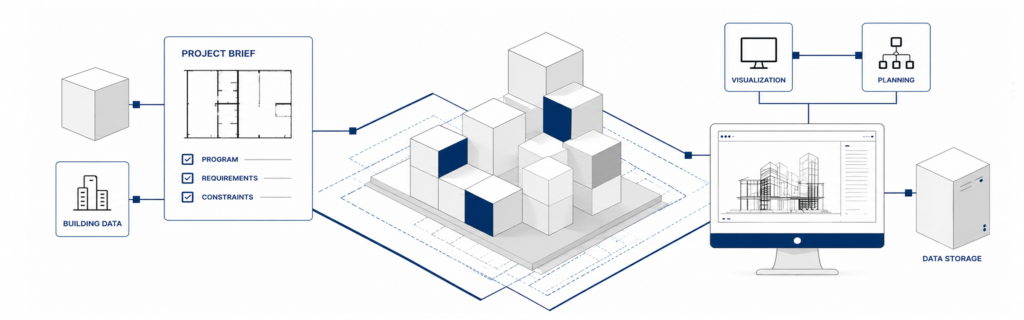
In BIM projects involving multiple disciplines or outsourced teams, unclear LOD definitions often lead to misaligned expectations. A well-defined level of development ensures that architects, engineers, contractors, and other professionals interpret the BIM model consistently, reducing risk and improving project efficiency.Understanding the fundamentals of a building information model is essential before defining LOD requirements.
What Are the Different LOD Levels in BIM
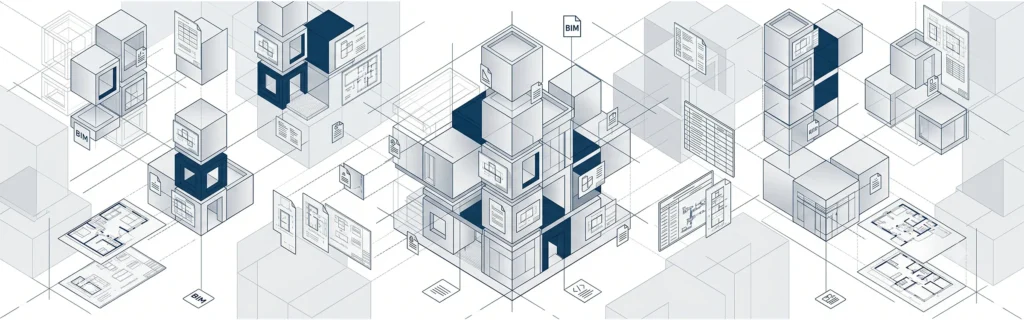
LOD levels describe the model progression from early conceptual design to verified as built models. Each level supports different decisions, deliverables, and responsibilities across various project stages.
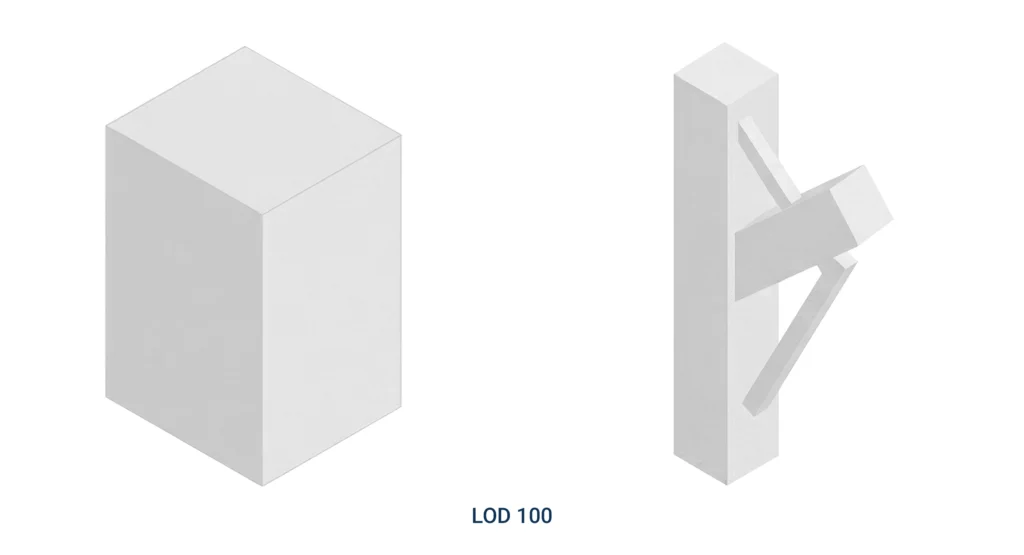
LOD 100 – Conceptual Design
At LOD 100, building elements are graphically represented using approximate quantities, rough dimensions, and basic spatial relationships. This level supports early feasibility analysis, cost estimation, and the initial project proposal without precise geometry.
LOD 200 – Schematic Design
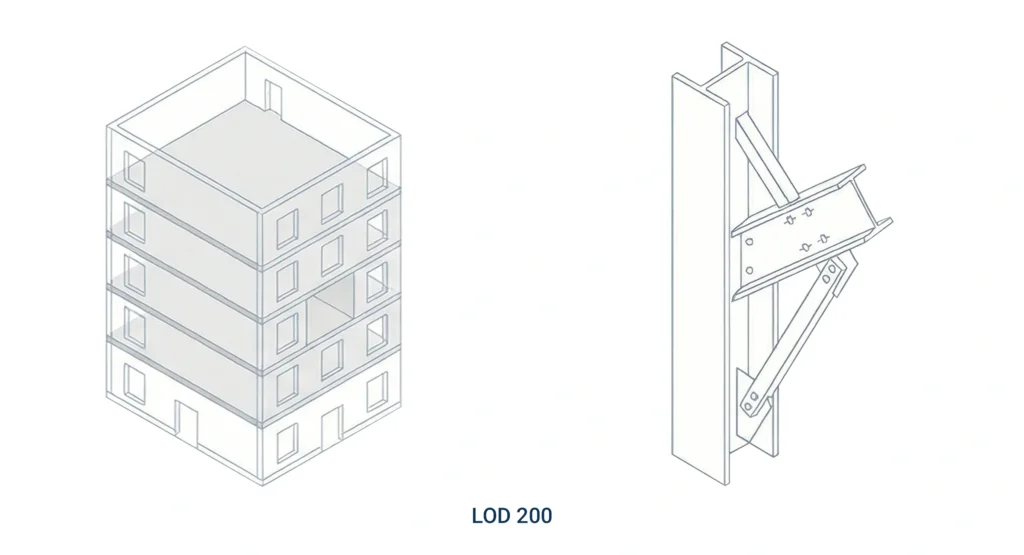
During schematic design, elements are modeled as a generic system with approximate size, shape, and location. This stage enables coordination between building systems while avoiding unnecessary detail.
LOD 300 – Design Development
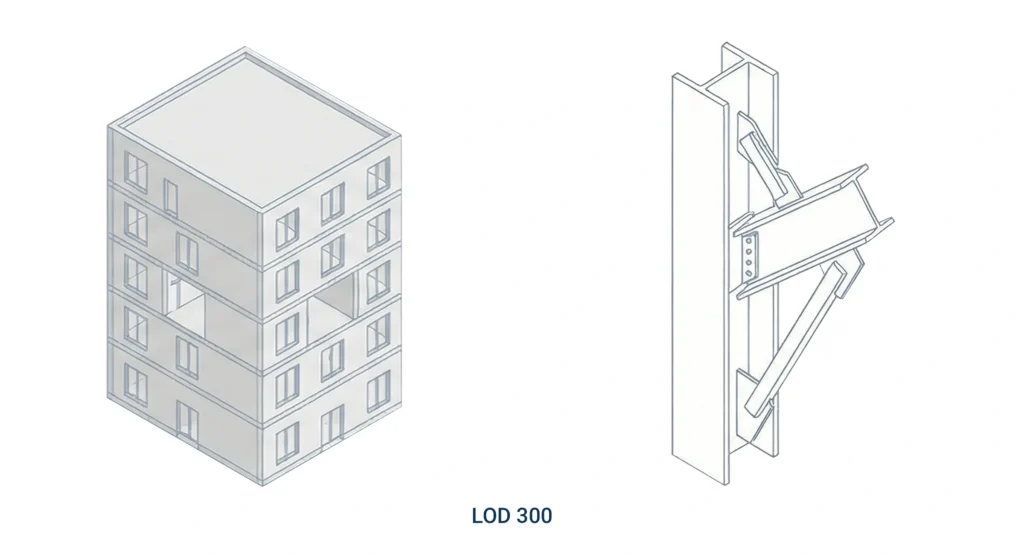
LOD 300 introduces precise geometry and accurate placement. Model elements now reflect design intent and can be used for construction documentation, coordination, and more reliable quantity takeoffs.
LOD 350 – Coordination
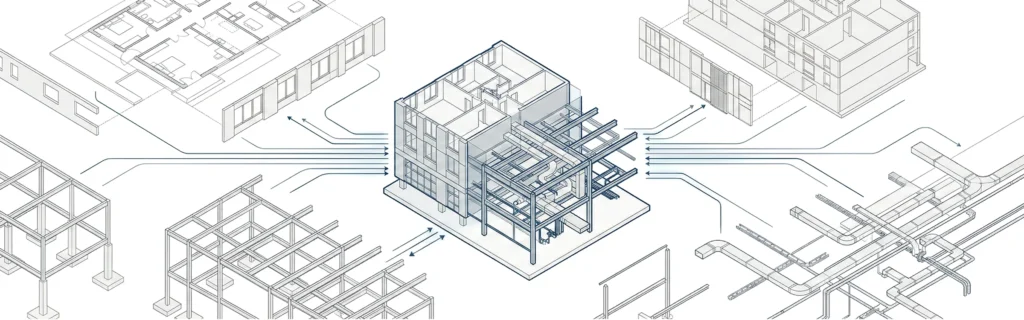
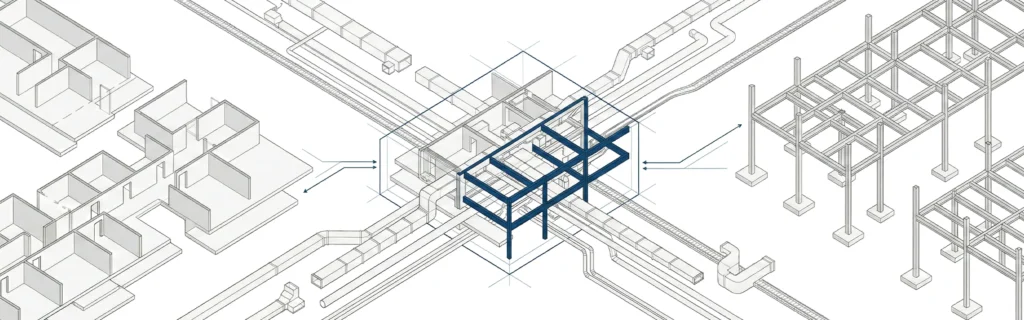
LOD 350 extends LOD 300 by defining interfaces between building components and other building systems. This level is critical for coordination and reducing clashes between architectural, structural, and MEP systems.
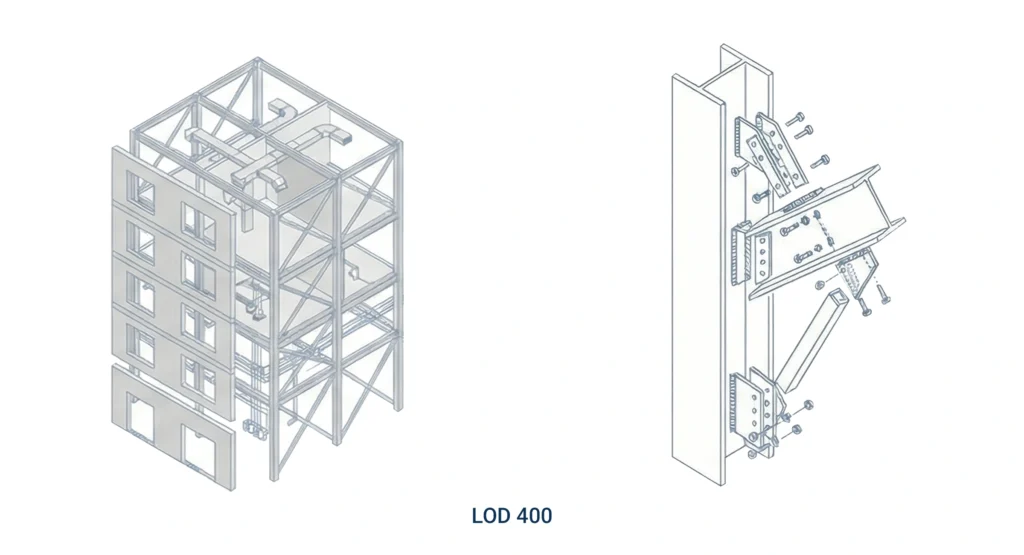
LOD 400 – Fabrication and Assembly
At LOD 400, elements include fabrication-level detail suitable for shop drawings, detailed assemblies fabrication, and installation planning. These detailed models are often produced by contractors or specialized trade partners.
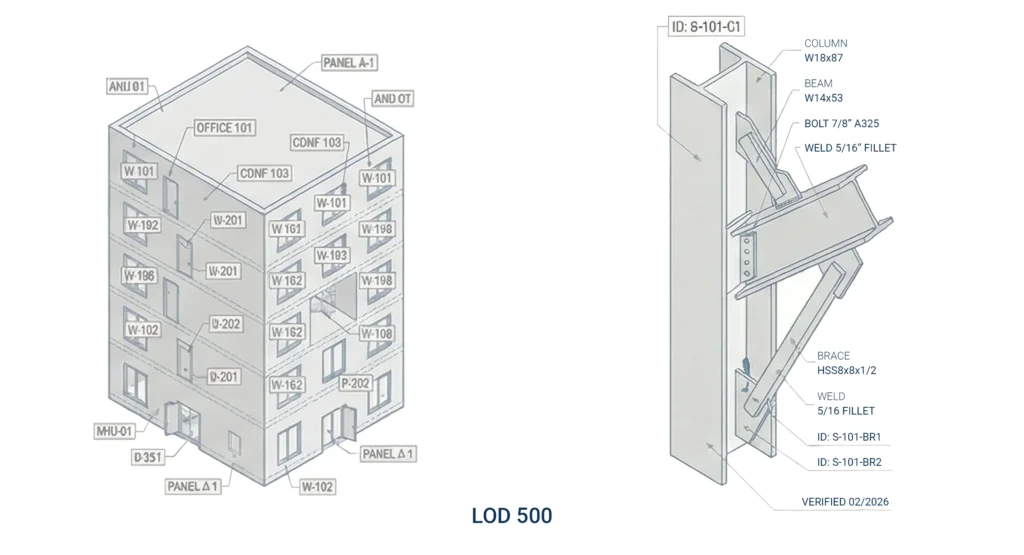
LOD 500 – As-Built Models
LOD 500 represents verified as built conditions, often supported by laser scan data or point cloud references. These models support facility management and long term asset management.
Purpose of Using LOD in Construction Projects
The primary purpose of BIM LOD is to define model reliability. It tells project teams how much detail is appropriate, what information can be trusted, and which decisions can safely be made at each stage of the construction process.Clear LOD definitions are especially important in BIM outsourcing scenarios, where external teams must align precisely with internal design managers and delivery expectations.
LOD 300 vs LOD 350 Differences
LOD 300 focuses on defining individual building elements with accurate geometry. LOD 350 goes further by modeling how those elements interact with other building systems.
In practical terms:
- LOD 300 supports design development and documentation.
- LOD 350 supports coordination, reducing conflicts between systems and improving constructability.
This distinction is critical for effective coordination and clash detection in complex BIM projects.
AIA Level of Development Specifications
The AIA LOD framework standardizes how development LOD is defined and communicated across BIM projects. It aligns expectations regarding deliverables, responsibilities, and acceptable model usage at different project phases.
Using AIA specifications helps reduce ambiguity, particularly when multiple teams or outsourced partners contribute to the same BIM deliverable.
How to Specify LOD for an Architectural Project
LOD requirements should be clearly documented in the project BIM execution plan. Such a plan typically defines:
- Required LOD stages per discipline
- Responsibilities across project team members
- Required BIM deliverables and review milestones
A structured project BIM execution plan ensures consistency and accountability throughout the project.
LOD in BIM for Beginners
For beginners, it is important to understand that level of detail and level of development are not the same. LOD defines what the model can be used for, not how visually complex it appears.Knowing how much detail is required at each stage prevents unnecessary modeling and supports a more efficient design process.
Example of LOD 200 in a BIM Model
An LOD 200 example might include a generic interior wall represented with approximate thickness and location. The wall is graphically represented but lacks detailed materials or connections, supporting coordination without committing to construction decisions.
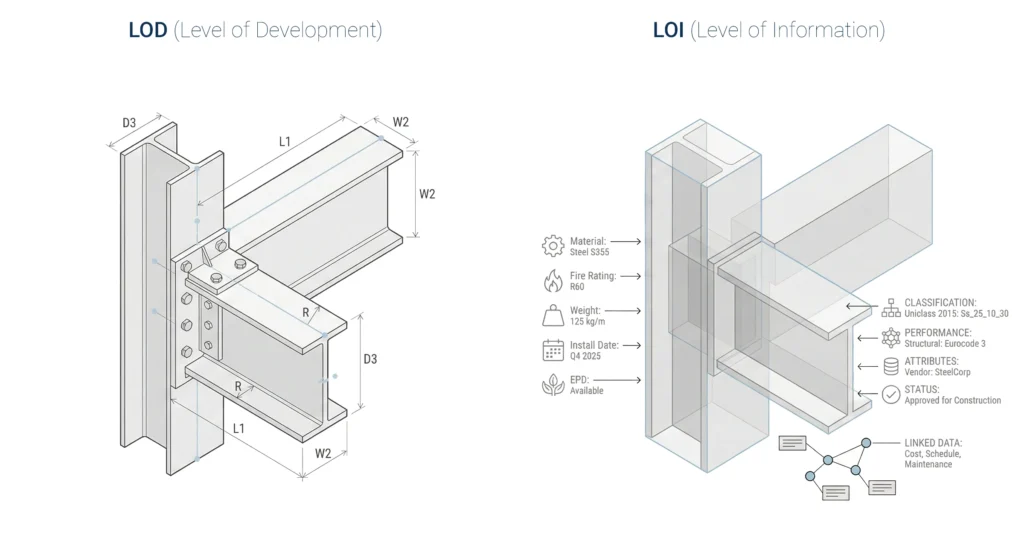
What Is the Difference Between LOD and LOI in BIM
LOD defines graphical reliability and geometry, while LOI focuses on non graphic information such as specifications, performance data, and classification attributes.Both are essential for defining models that are usable across different stages of a BIM-enabled project.
BIM Execution Plan LOD Requirements Checklist
A practical LOD checklist should address:
- Defined LOD per discipline and project phases
- Responsibility for defining models
- Required BIM deliverables
- Coordination workflows and approval gates
This checklist improves collaboration between internal teams and external BIM partners.
Benefits of Defining LOD Early in a Project
Defining LOD early improves project efficiency, supports better cost estimation, and reduces rework. It also improves coordination across various project stages and helps align outsourced BIM teams with project goals.
Common Misunderstandings About Level of Development
A common misunderstanding is assuming that an incredibly detailed model is always better. In reality, excessive detail at the wrong stage reduces clarity and increases coordination risk.
LOD defines purpose and reliability, not visual complexity.
LOD Across Project Phases
LOD evolves in parallel with project stages:
- Conceptual – LOD 100
- Schematic – LOD 200
- Design Development – LOD 300
- Coordination – LOD 350
- Construction – LOD 400
- Operations – LOD 500
Aligning LOD with different project stages ensures consistent expectations and usable BIM outputs.
Who Defines and Controls LOD in BIM Projects
LOD responsibility is shared across roles:
- Architects define early design intent
- BIM managers coordinate standards
- Contractors refine fabrication-level detail
- Owners approve final as built models
Clear ownership is critical in multi-team and outsourced BIM environments.
LOD vs Over-Modeling
Over-modeling introduces unnecessary more detail, increases file size, and complicates coordination. Proper LOD planning ensures that each bim model contains the detail required-no more, no less.
Practical LOD Tips for Outsourced BIM Projects
- Define LOD before modeling starts
- Align LOD with project phases
- Review model elements based on intended use
- Avoid mixing different LOD stages in one deliverable
For teams considering external support, structured LOD workflows are essential. To discuss best practices, Contact MastTeam via the Contacts page.
Best Software for Managing LOD in BIM Projects
Most BIM platforms can support LOD workflows when paired with clear standards and coordination processes. The key factor is not software choice, but how well information modeling and responsibilities are defined across the construction industry.
BIM Level of Development FAQs
What does BIM LOD stand for?
BIM LOD stands for Level of Development, defining how reliable and usable model elements are at each project stage.
Is LOD the same as level of detail?
No. Level of detail describes visual complexity, while LOD defines usability and reliability.
Who defines LOD requirements in a BIM project?
LOD requirements are typically defined by architects, BIM managers, and owners within the BIM execution plan.
Can different disciplines use different LOD levels?
Yes. Architectural, structural, and MEP models often progress at different LODs based on project needs.
Is LOD required for all BIM projects?
While not always mandatory, clearly defined LOD significantly improves coordination and reduces risk.